Version 1.0 for Mac

The periodic table as a landscape

Turn it, heat it, sort it and light it up. Look inside the atom, build molecules, and follow every element back to the star that made it.

Download right after paying.

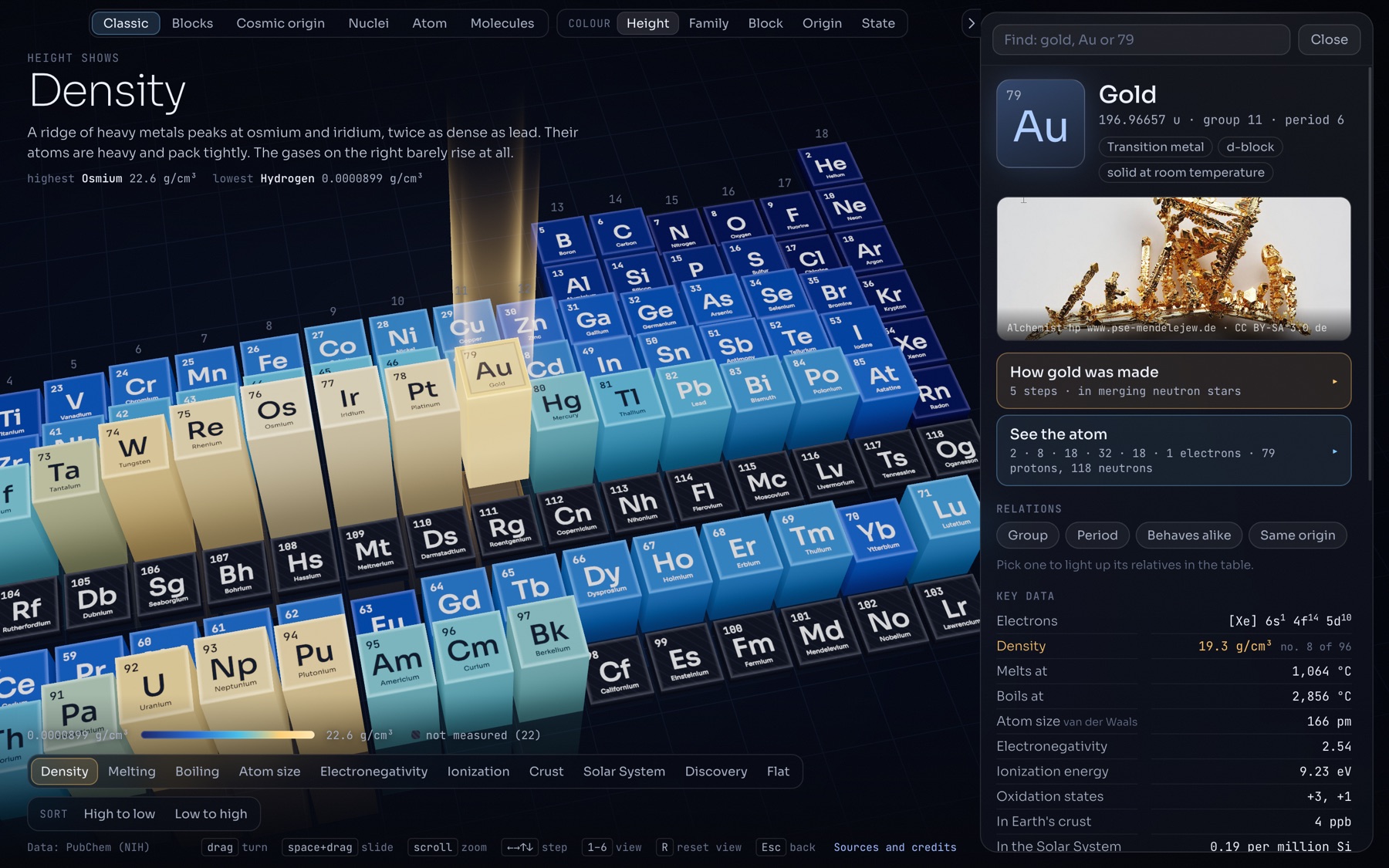
The periodic table as a 3D landscape, with gold selected
Version
1.0
Runs on
macOS 13 or later, Apple silicon
Licence
2 computers
Updates
12 months included
Also sold on
Mac App Store

What Elements 3D does

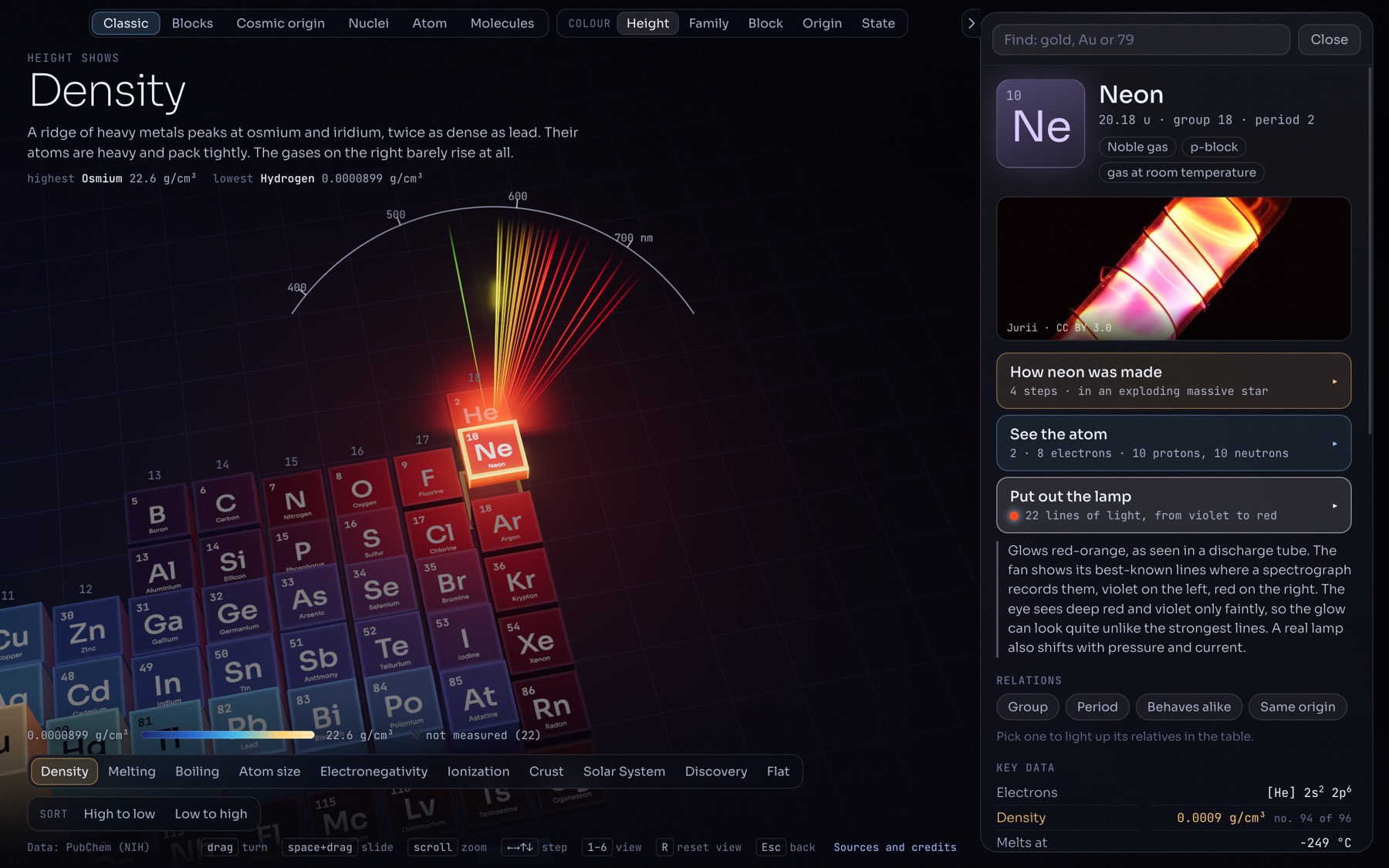
Light the lamp

Twelve elements glow in their own colour.

Light neon, sodium or mercury and the room goes dark. The glow falls on the tiles around it, and above it the light fans out into the spectral lines it is made of, each at its measured wavelength.

A neon lamp lit above the periodic table, with its spectral lines

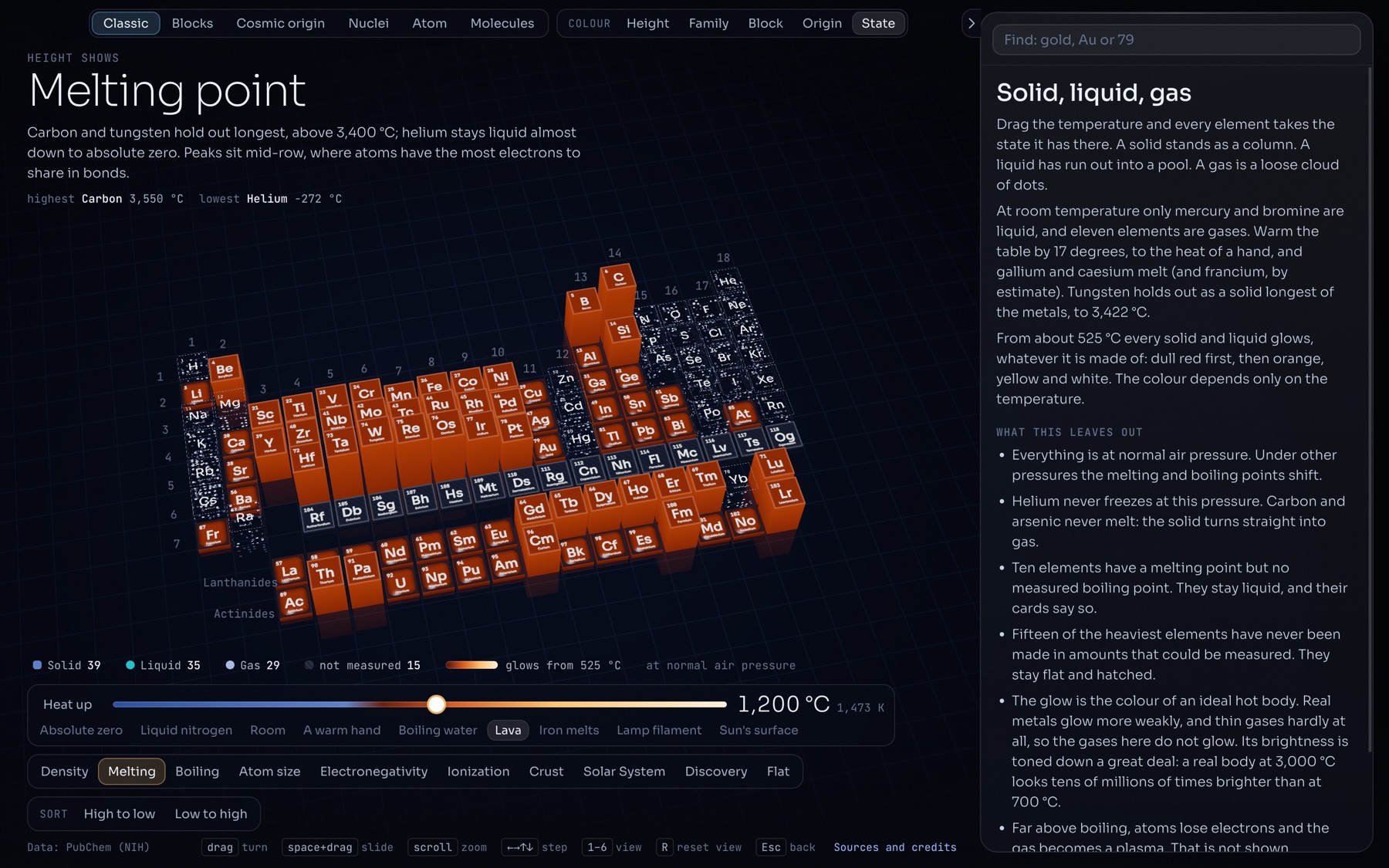
Heat the table

From absolute zero to the surface of the Sun.

Drag the temperature from −273 °C to 5,700 °C. Elements melt into pools, boil away as gas, and the ones still standing begin to glow, first red, then white.

The periodic table at high temperature, with molten and glowing elements

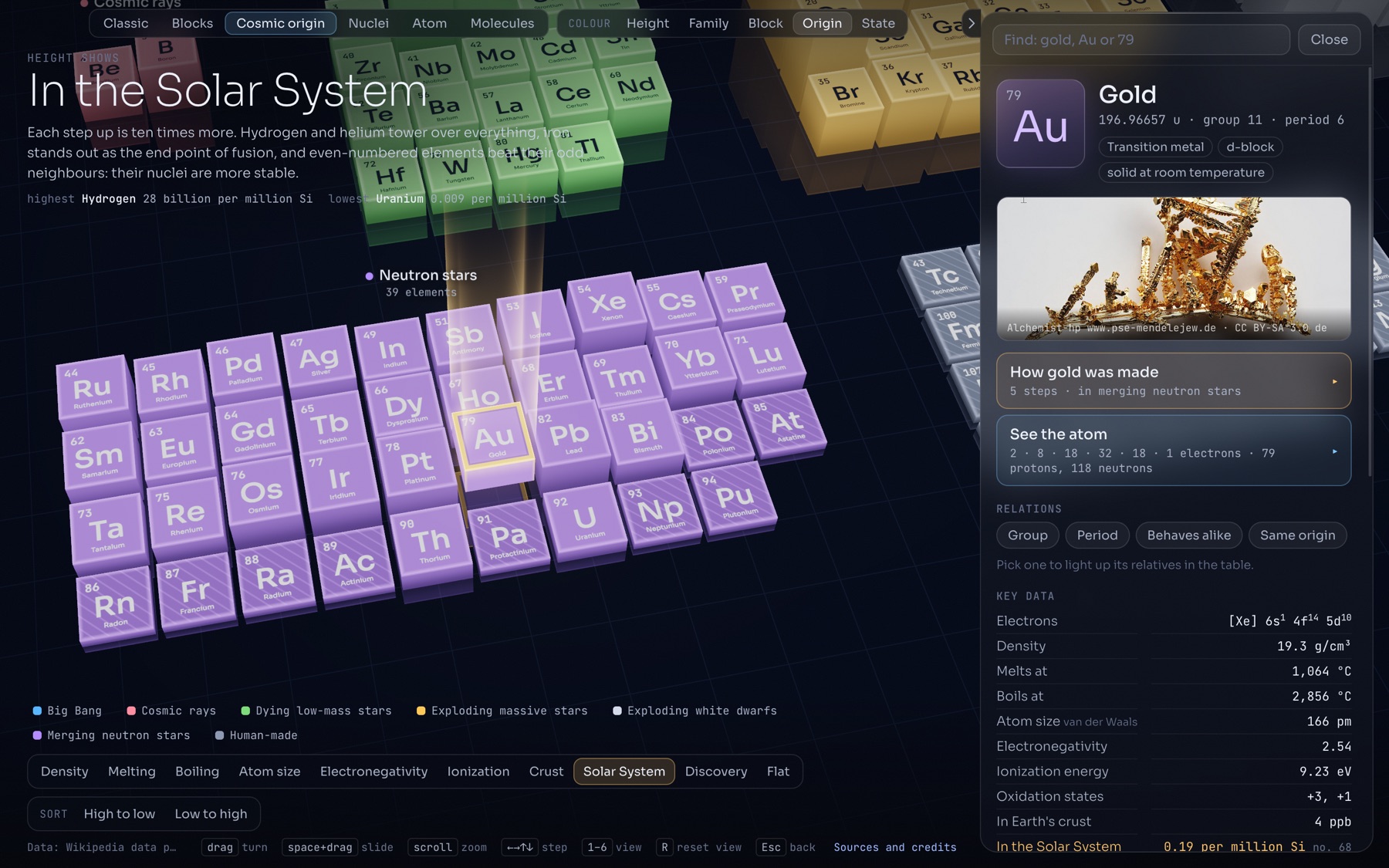
Follow an element home

Every atom was made somewhere.

The Big Bang, the heart of a star, an exploding white dwarf, two neutron stars colliding, or a laboratory. Every element has an origin journey you can play step by step on the chart of all 3,383 known nuclei.

The origin journey of an element on the chart of nuclei

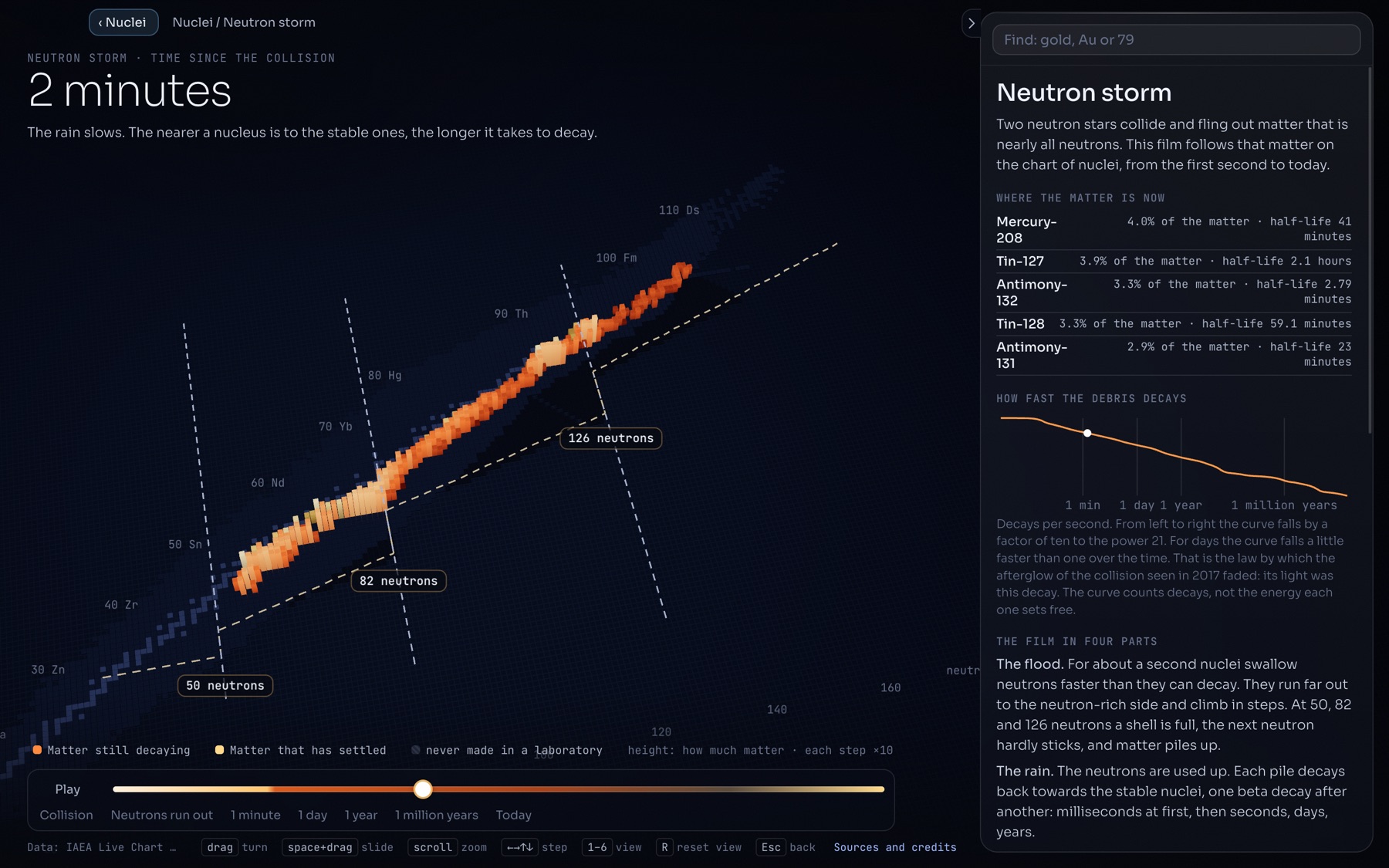
Watch a neutron storm

Forty seconds, from the first second to today.

Two neutron stars collide. Nuclei swallow neutrons faster than they can decay, then rain back towards stability. What is left, billions of years later, is the gold and platinum in the ground.

Nuclei racing across the chart of nuclei during a neutron star collision

Also in Elements 3D

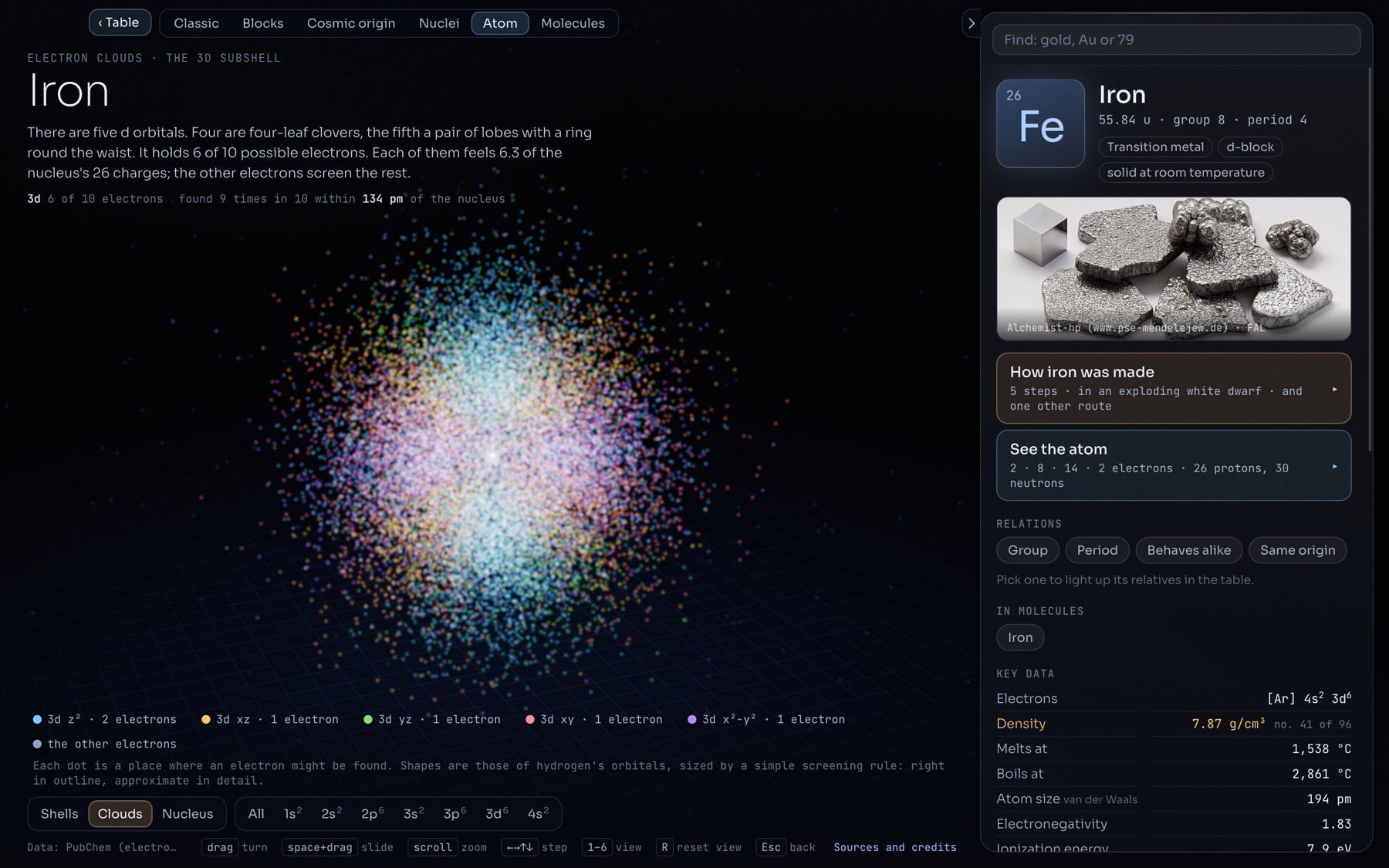
Electron clouds of an atom

Look inside the atom

Shells, clouds and the nucleus: every orbital in its real shape, one subshell at a time.

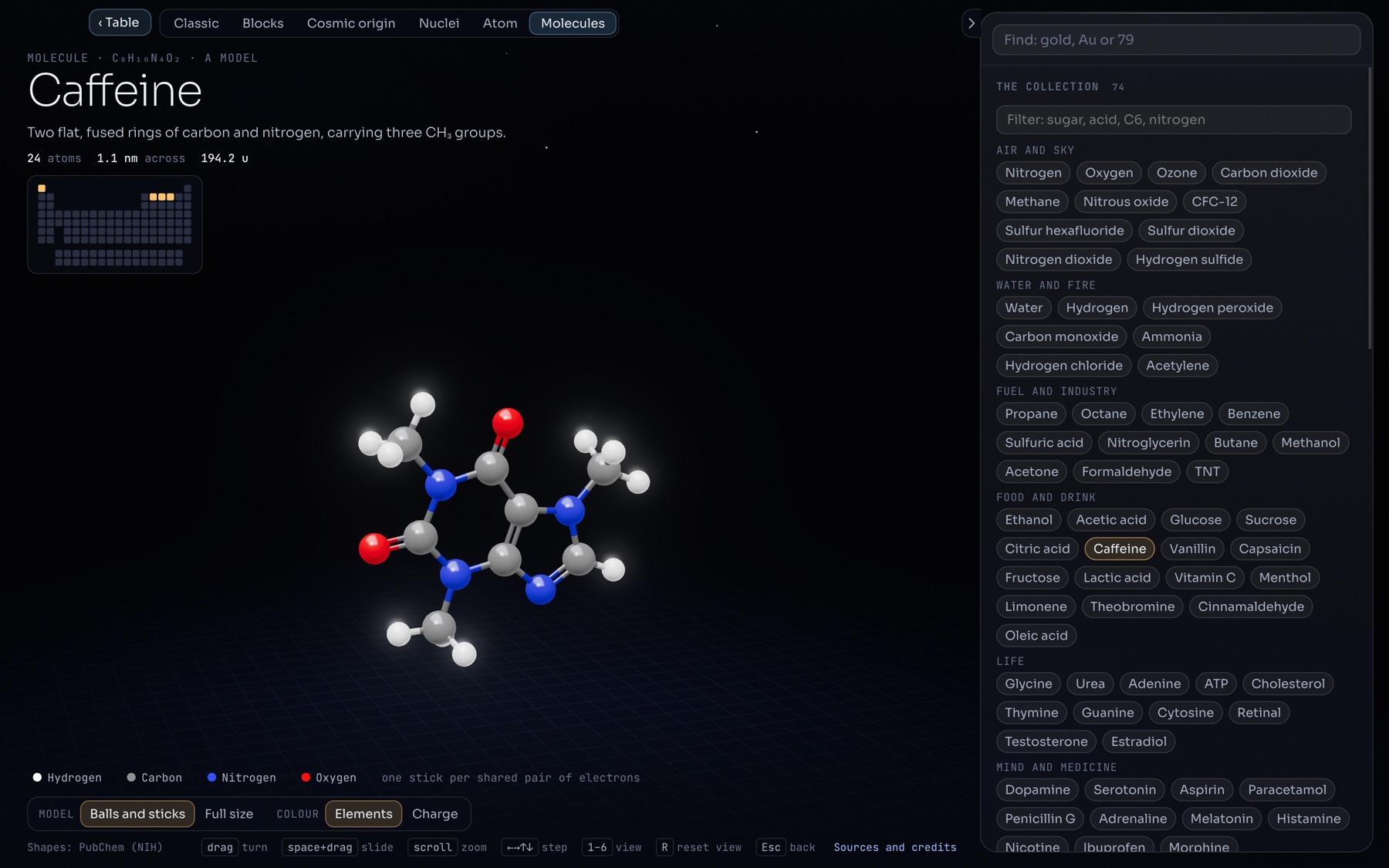
A molecule assembled from its atoms

Meet the molecules

74 molecules and crystals in 3D, from water and caffeine to diamond and the letters of DNA.

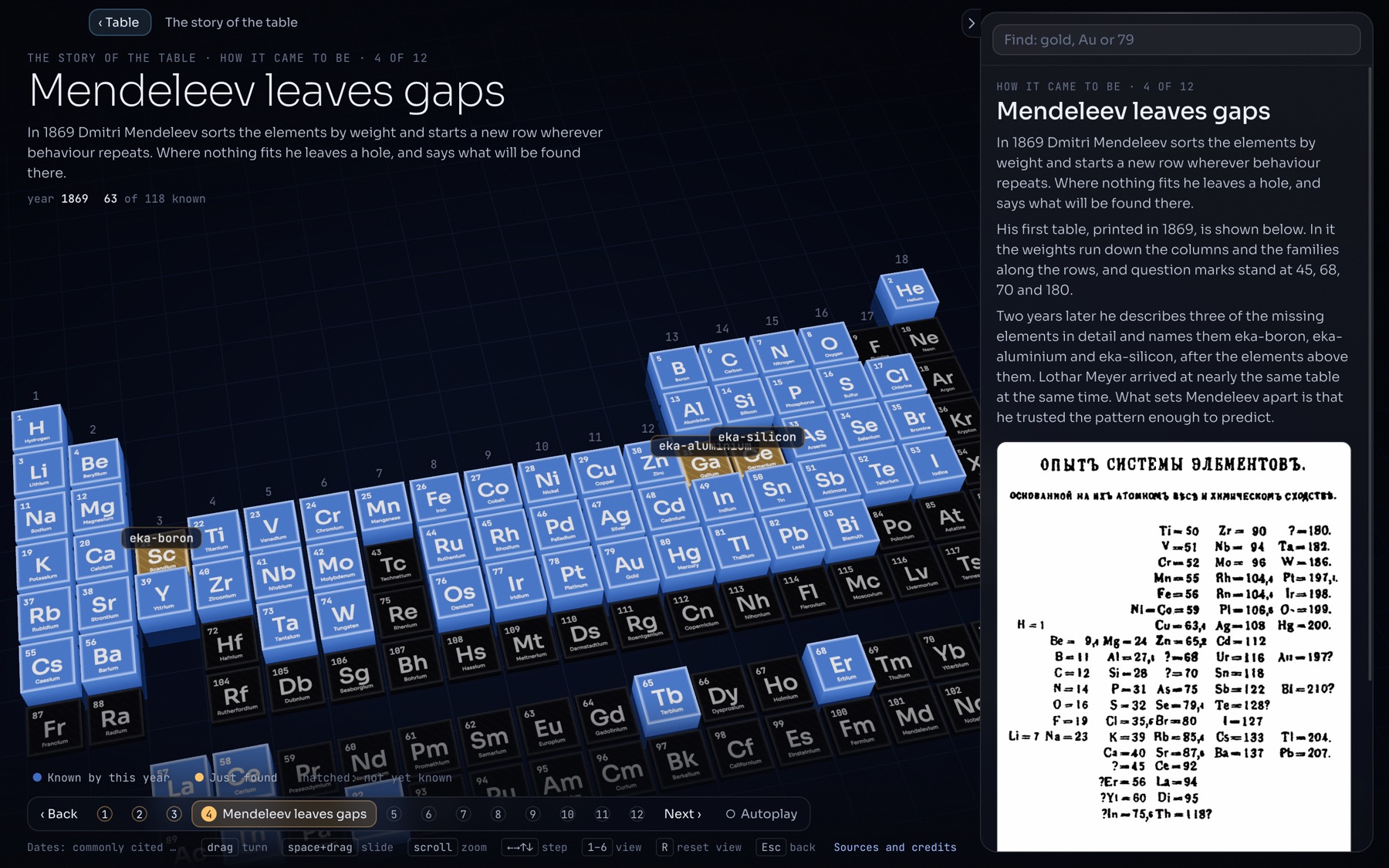
A scene from the history of the periodic table

How the table came to be

A story in twelve scenes, from the eleven elements of antiquity to the ones people made.

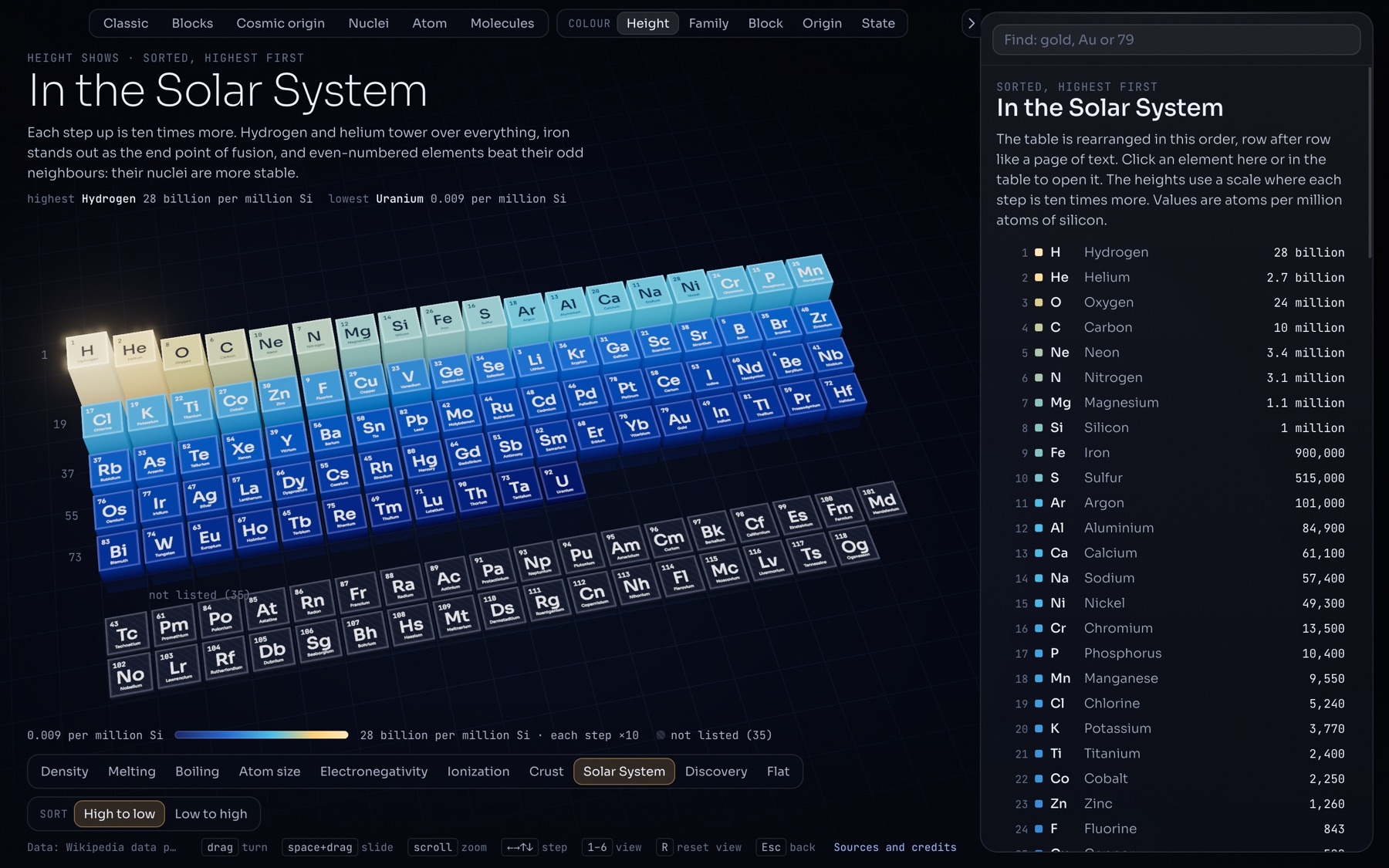
The elements sorted by density

Sort it

The whole table rearranged by any of nine properties. See who leads and who comes last.

It says what is known, and what is not

Every number names its source. Estimates are labelled as estimates, models as models, and “not measured” is never filled in with a guess.

Offline, and it collects nothing

All data and all 105 pictures are inside the app. It goes online once to activate your key, and to look for a new version if you let it. Nothing about what you do in the app is sent anywhere.

Buy Elements 3D

€7.14

One payment, no subscription. Price incl. 19% VAT for Germany.

Buy Elements 3D for €7.14
  • You pay on Stripe’s or PayPal’s own page, so your card details never reach this site and are never stored here.
  • Your key appears on screen after paying and comes by email with the invoice.
Encrypted checkoutVisaMastercardPayPal

What you get

  • A licence key for 2 computers
  • Every update until 22 November 2027, if you buy today
  • Elements 3D keeps working after that date
  • Download right after paying

Also on the Mac App Store

The same app, bought with your Apple ID. A copy from Apple needs no key and no account here. Needs Macs with Apple silicon and macOS 13 or later.

Questions before you buy

Is there a trial?

No. The pictures and texts on this page show what the app does. If you are not sure it is right for you, write to us before you buy.

Which Macs does it run on?

Macs with Apple silicon and macOS 13 or later.

I bought it in the Mac App Store. Do I need a key?

No. A copy from the Mac App Store needs no key and no account here. Keys are only for copies bought on this site.

What do I get when I buy?

A licence key for Elements 3D that works on 2 computers, and every update released in the next 12 months. You can download right after paying.

What happens after the 12 months?

Elements 3D keeps working, for good. Only versions released after your date need an extension, which you can buy whenever you want one. Your account always shows the date.

Can I move it to a new computer?

Yes. Deactivate the old computer inside the app or in your account, then enter your key on the new one.

Does it need the internet?

Once, to activate your key. After that it works offline.

Is paying here safe?

You pay on the payment page of Stripe or PayPal. Your card details never reach this site. An invoice comes by email.

What if I lose my key?

Sign in with your email address. We send you a 6-digit PIN, and your account shows your keys.
Something else? Write to email address: please turn on JavaScript. A sentence on what you want to know is enough.

How to get around in the app, and more answers: help with Elements 3D. What the app keeps and sends: its privacy policy.