Version 1.0 for Mac

Fly along with the great space missions

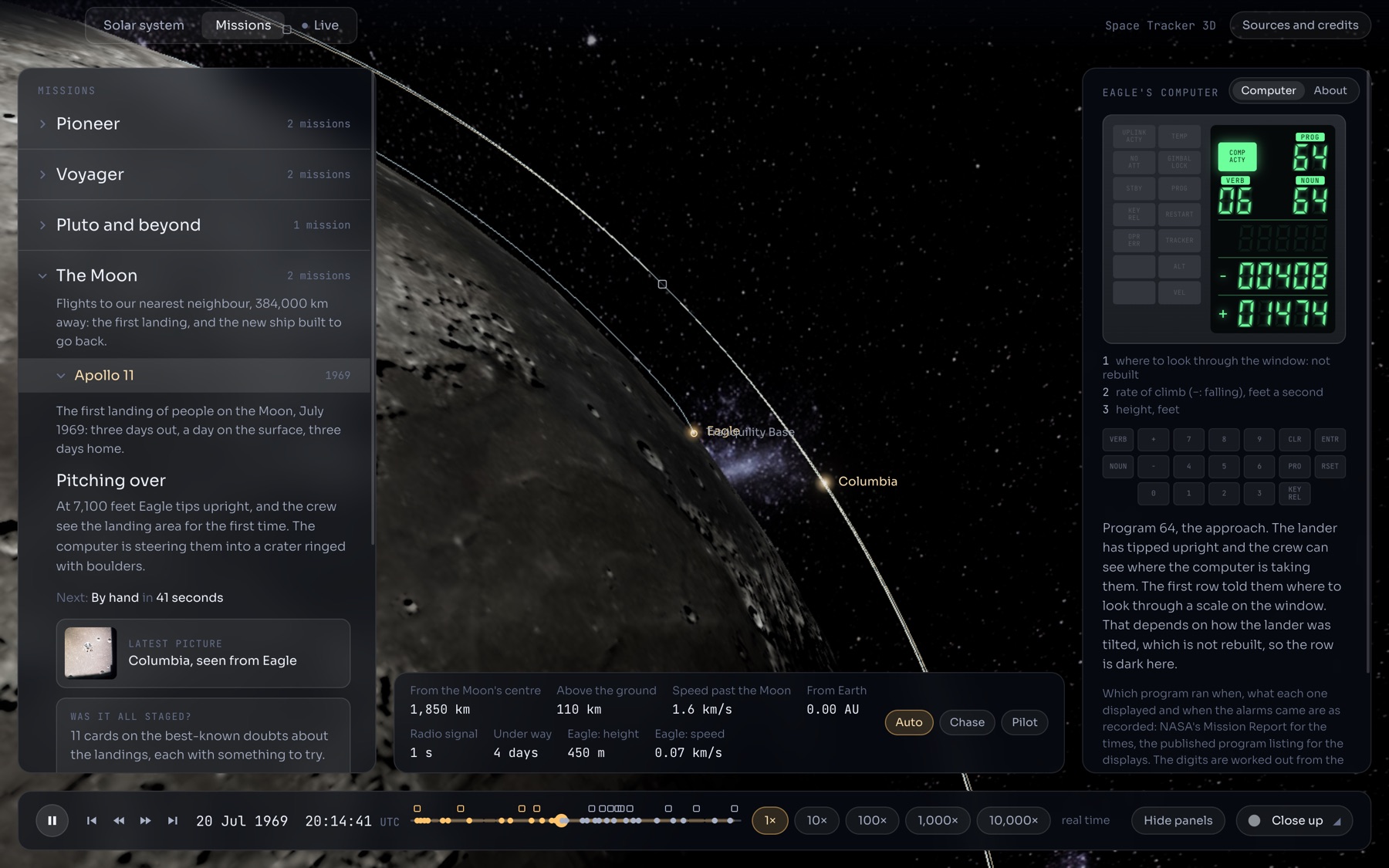
Watch Apollo 11 from the pad to the Moon and back, second by second or a day a second, with the lander’s computer counting down. Then follow Voyager, Cassini and New Horizons to the planets.

Download right after paying.

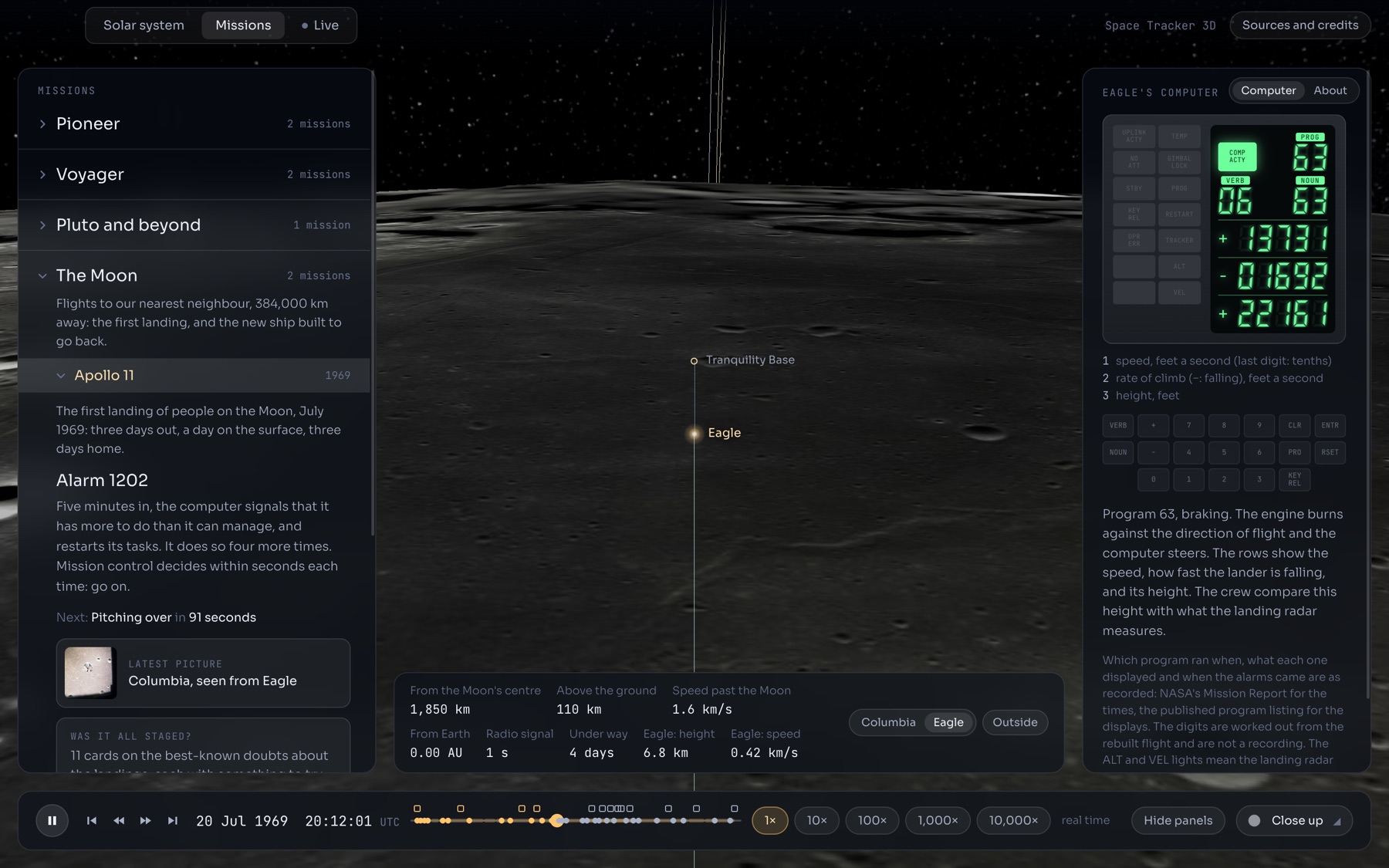
Eagle coming down to the Moon with Columbia overhead and the lander’s computer panel showing the descent
Version
1.0
Runs on
macOS 13 or later, Apple silicon
Licence
2 computers
Updates
12 months included
Also sold on
Mac App Store

What Space Tracker 3D does

Apollo 11

The landing, with the computer the crew watched.

The last twelve minutes down to the Sea of Tranquility, in real time if you like. Beside the scene glows the lander’s computer: program, height and speed as the crew read them, and the 1202 alarms at the moments they came.

The chase camera behind Eagle low over the Moon, with the computer panel

From the pad

Liftoff over Florida.

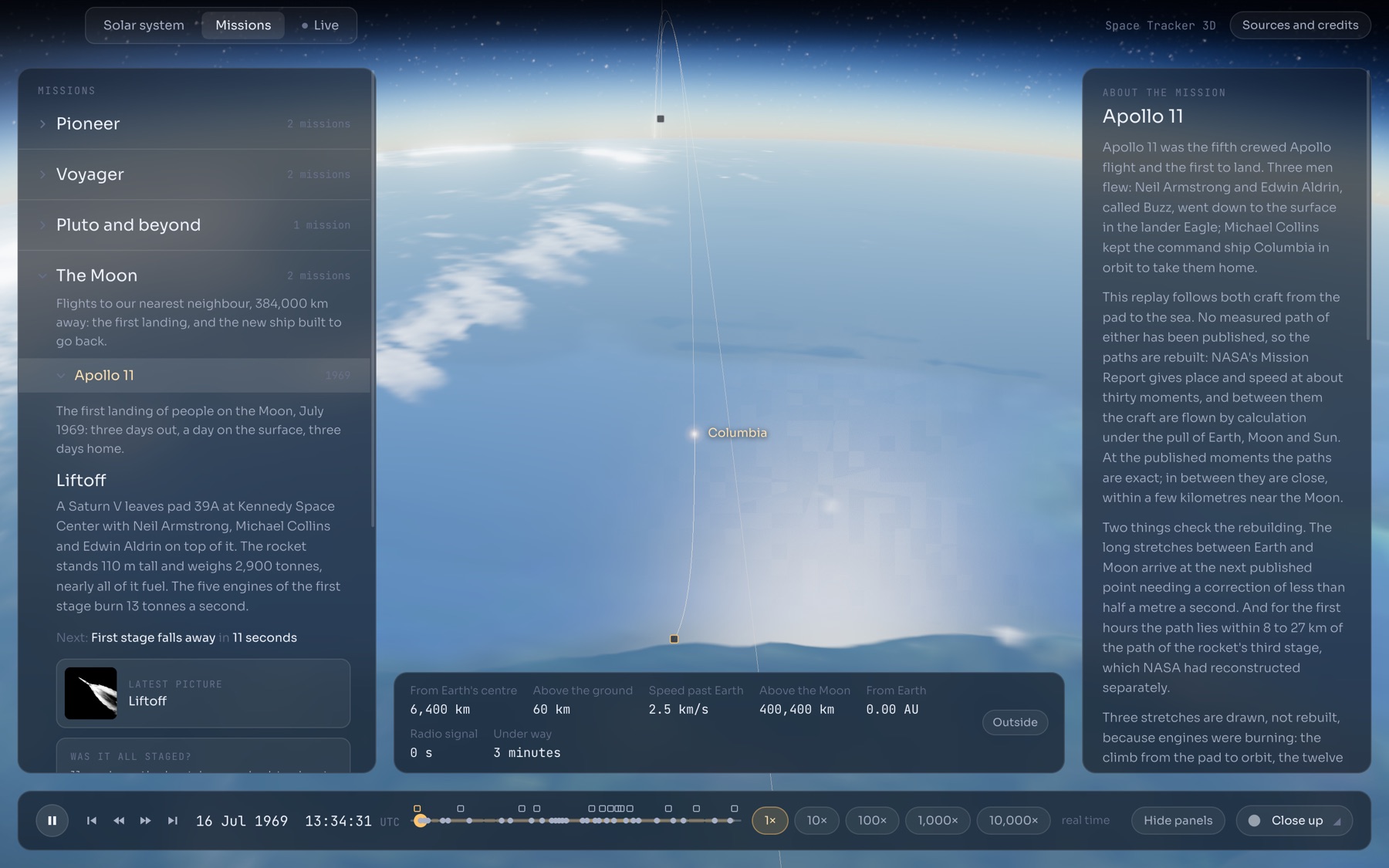
The replay starts as the Saturn V leaves the pad. A camera rides behind the rocket up to orbit, then round Earth one and a half times and away to the Moon. Eight days later it ends in the Pacific.

Apollo 11 climbing away from the coast of Florida

On the Moon

The moonwalk, step by step.

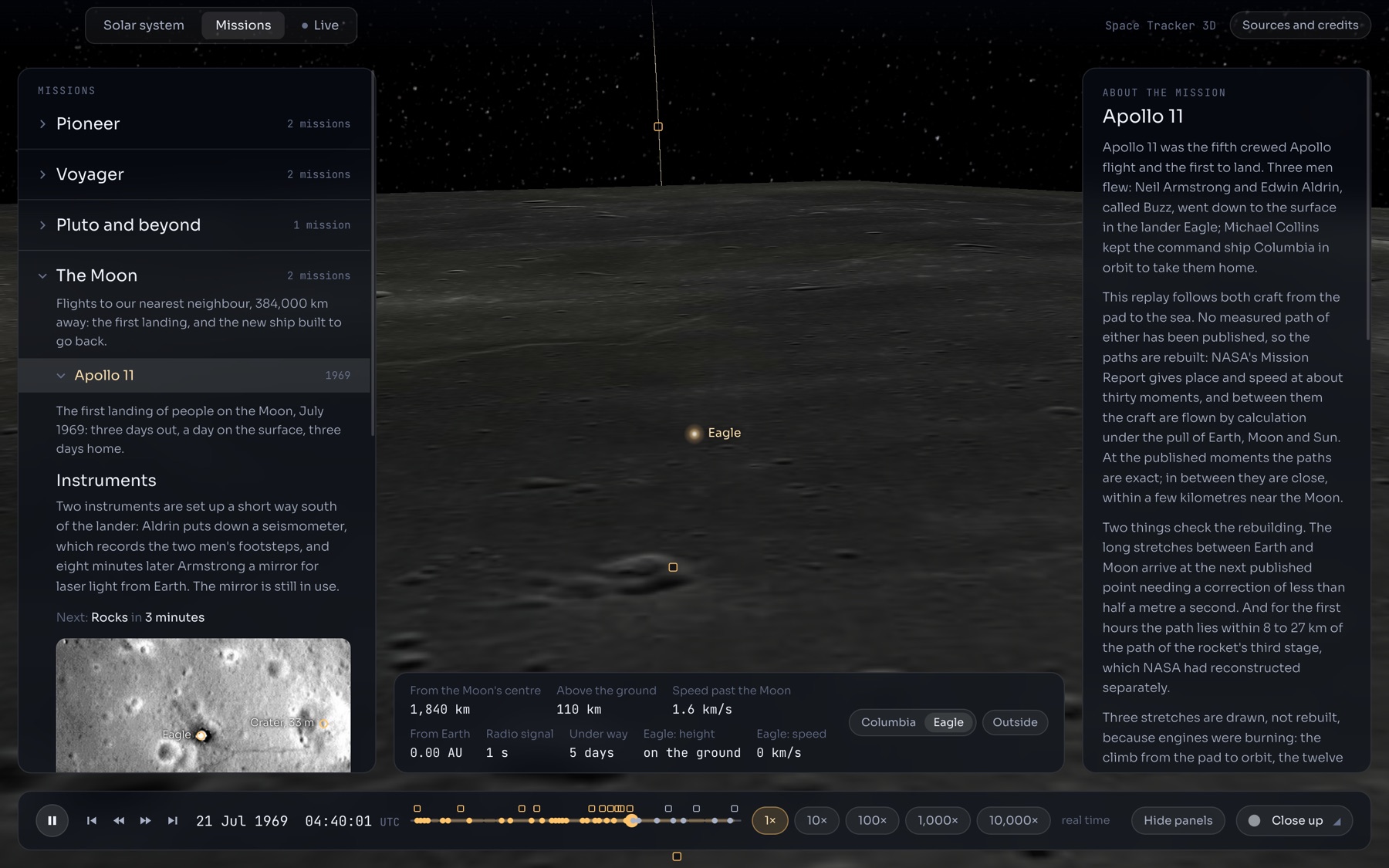
Hatch open, the first step, the flag, the call from the White House, the instruments, back inside: nine moments at the times NASA recorded, with the crew’s photographs and a plan of the ground as an orbiter saw it forty years later.

Eagle on the Moon during the moonwalk, with a plan of the landing site

Check it yourself

Was it all staged? Try it.

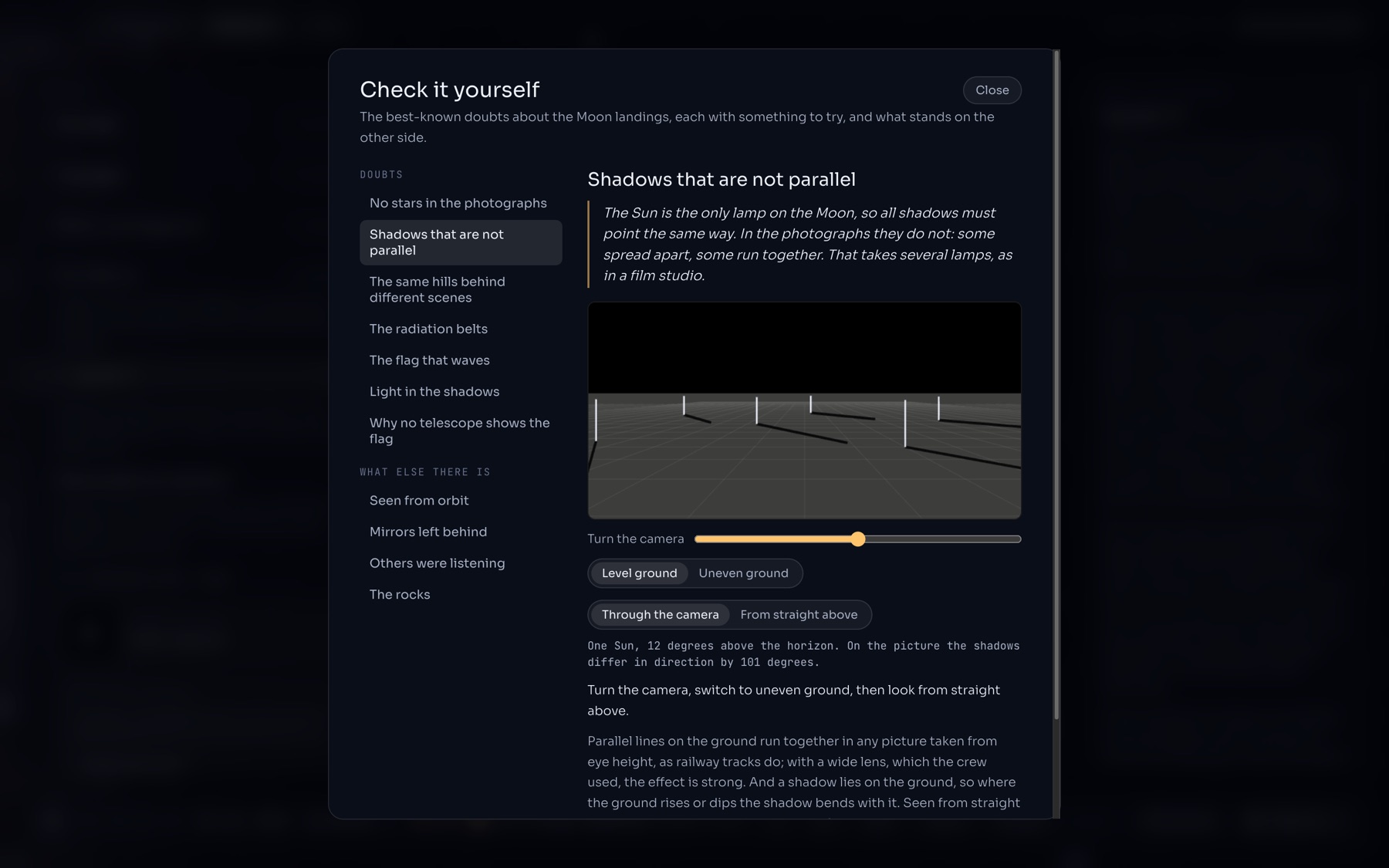
No stars in the photographs, shadows that are not parallel, a flag that waves: the best-known doubts about the landings, each stated fairly and each with a model to play with. Seven models and four pieces of evidence, every one with its source.

A model of poles and their shadows, about shadows that are not parallel

Also in Space Tracker 3D

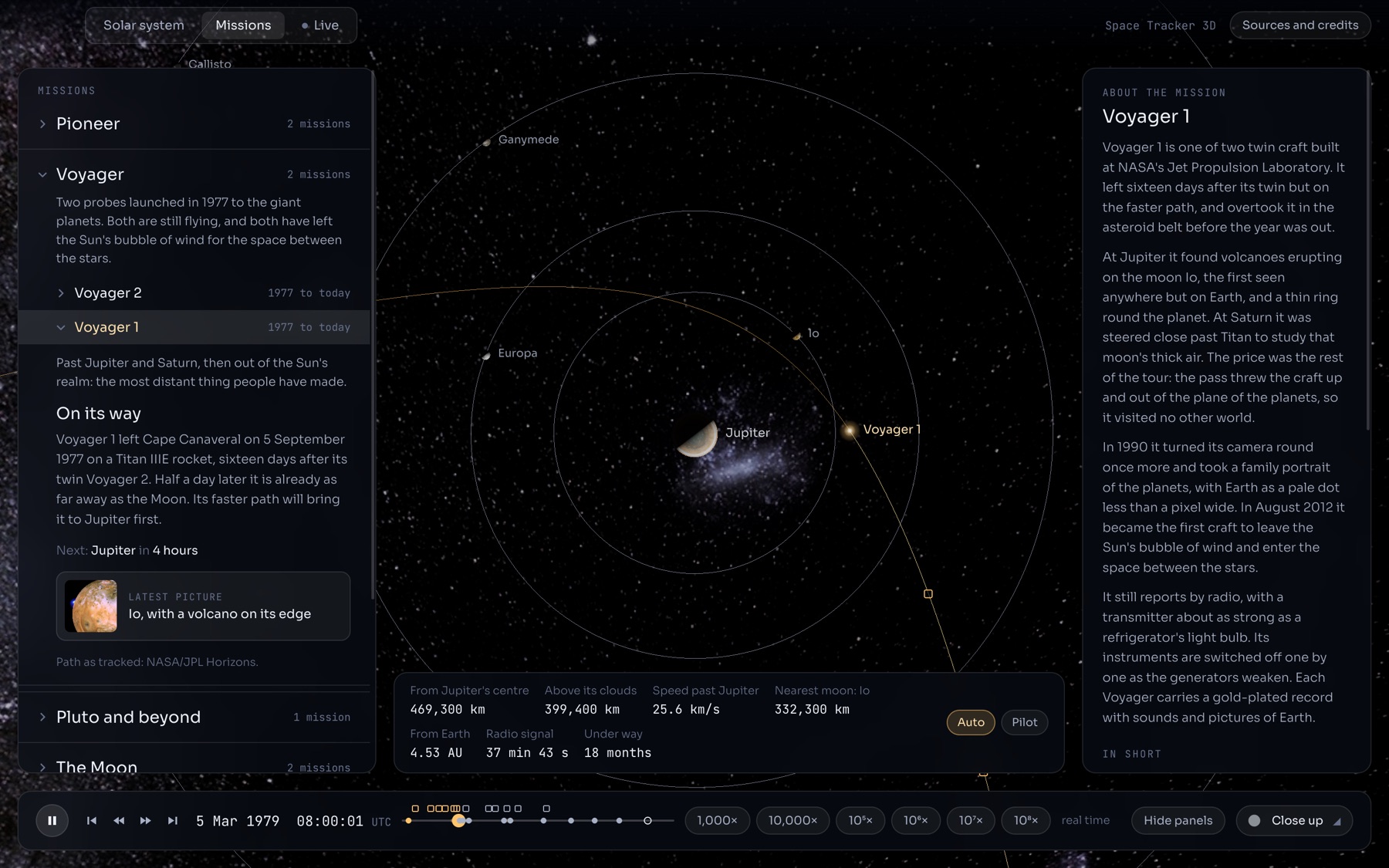
Voyager 1 passing Jupiter and its moons in March 1979

Voyager

Both Voyagers and both Pioneers along their real paths, past Jupiter and on for ever.

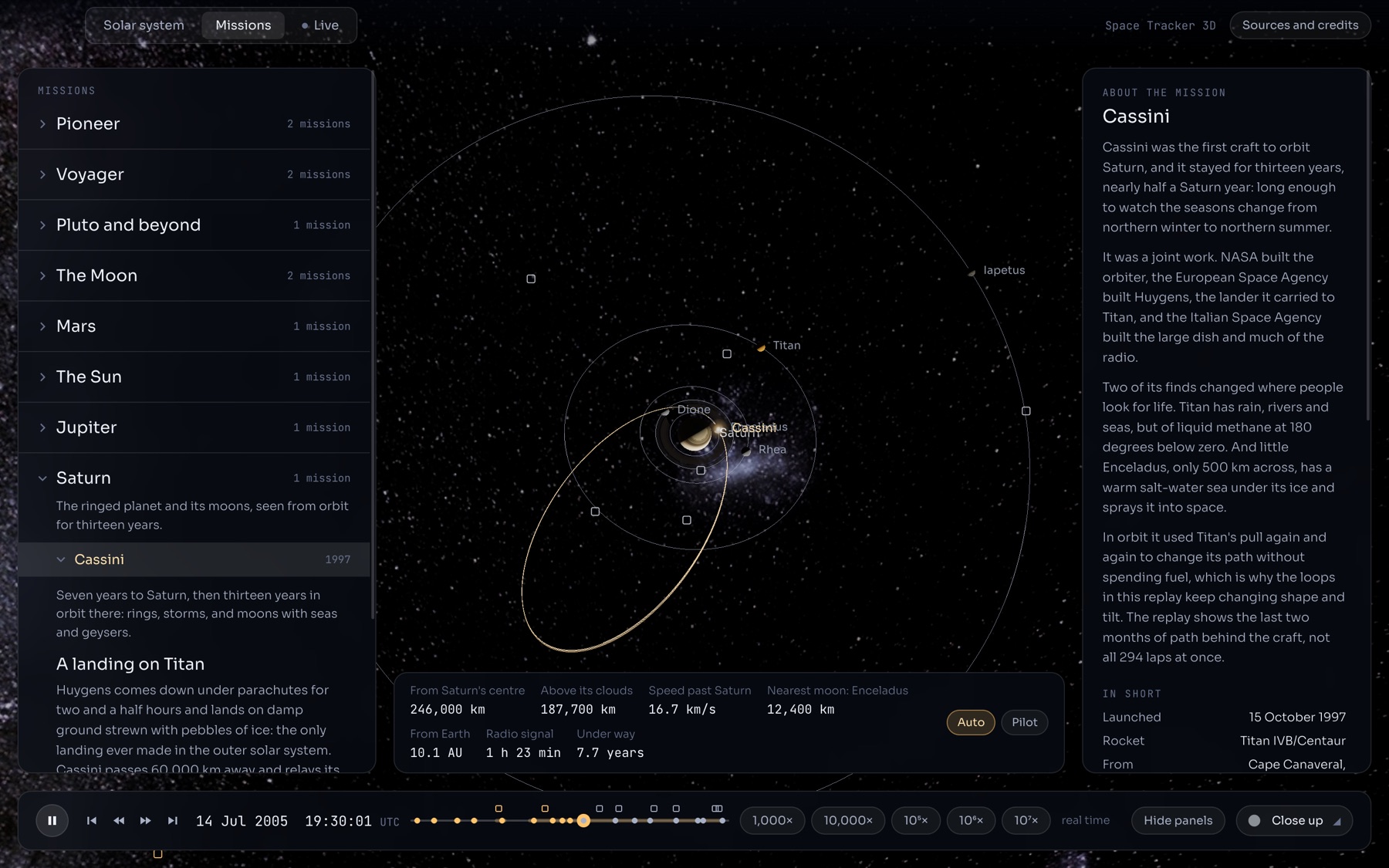
Cassini on its orbit round Saturn with Titan and the other moons

Cassini

Thirteen years at Saturn: loop after loop among the moons, the landing on Titan and the final dive.

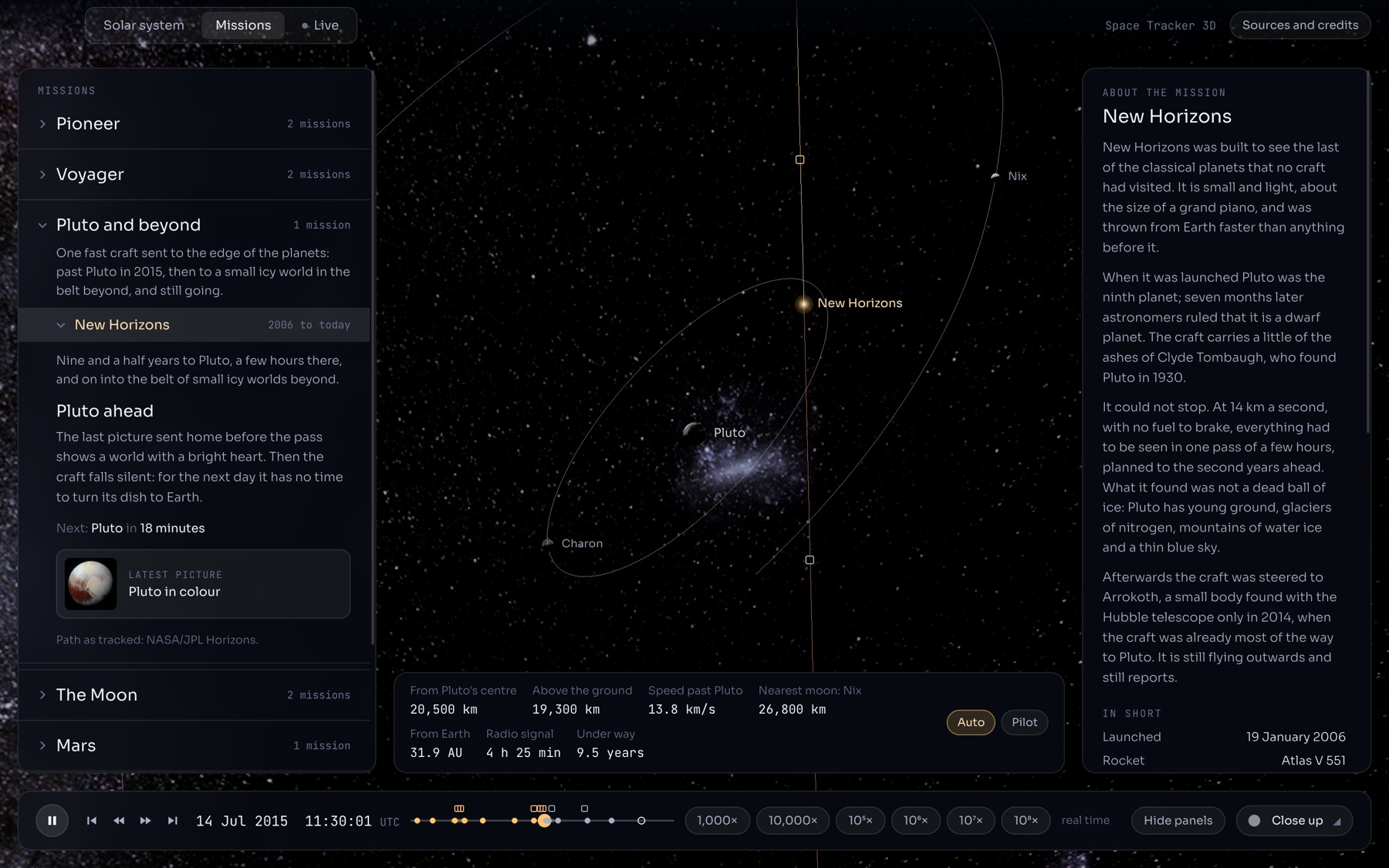
New Horizons passing Pluto and Charon

Pluto

Nine years out, one day there. Ride along with New Horizons on 14 July 2015.

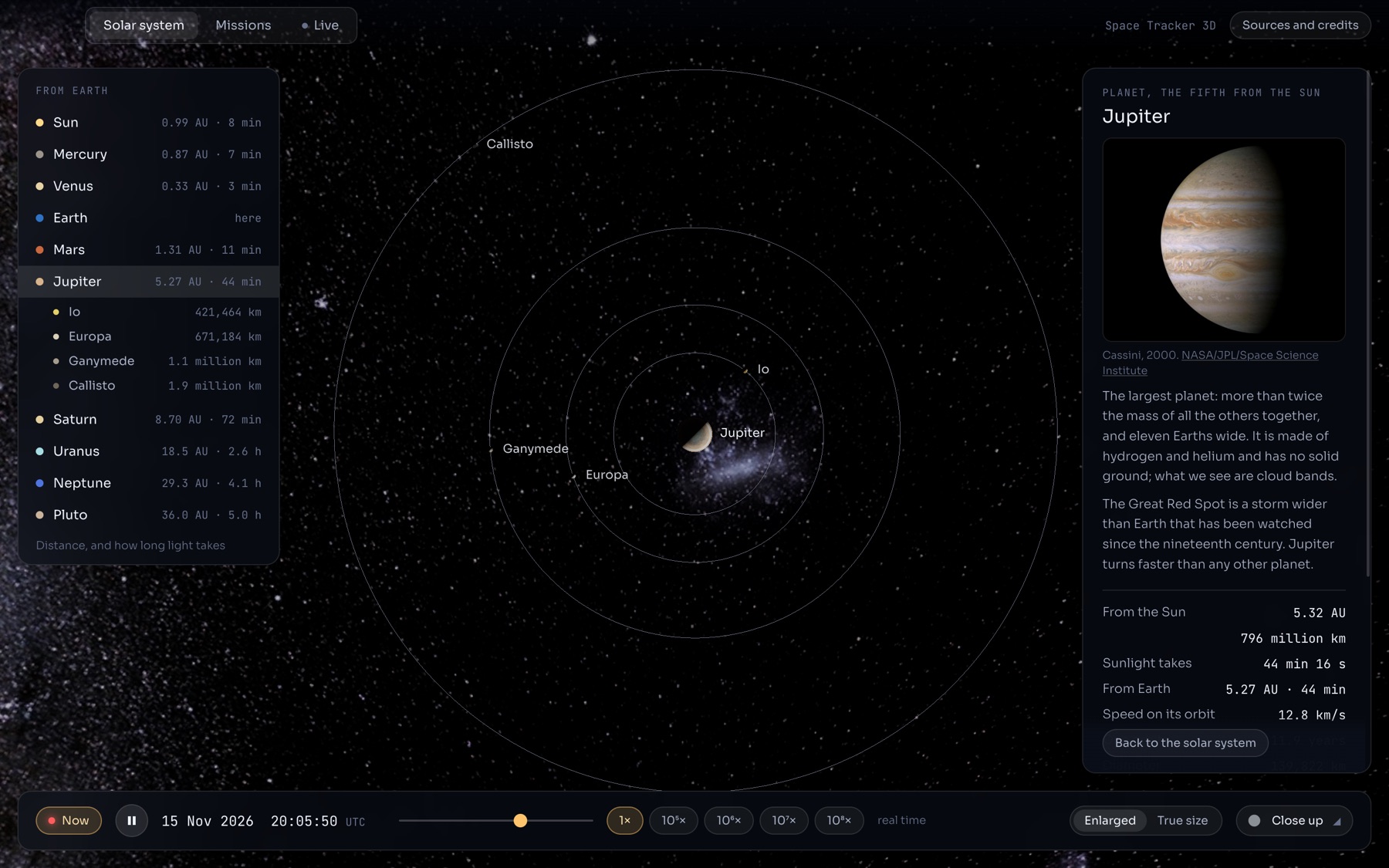
Jupiter with the orbits of its four large moons

Right now

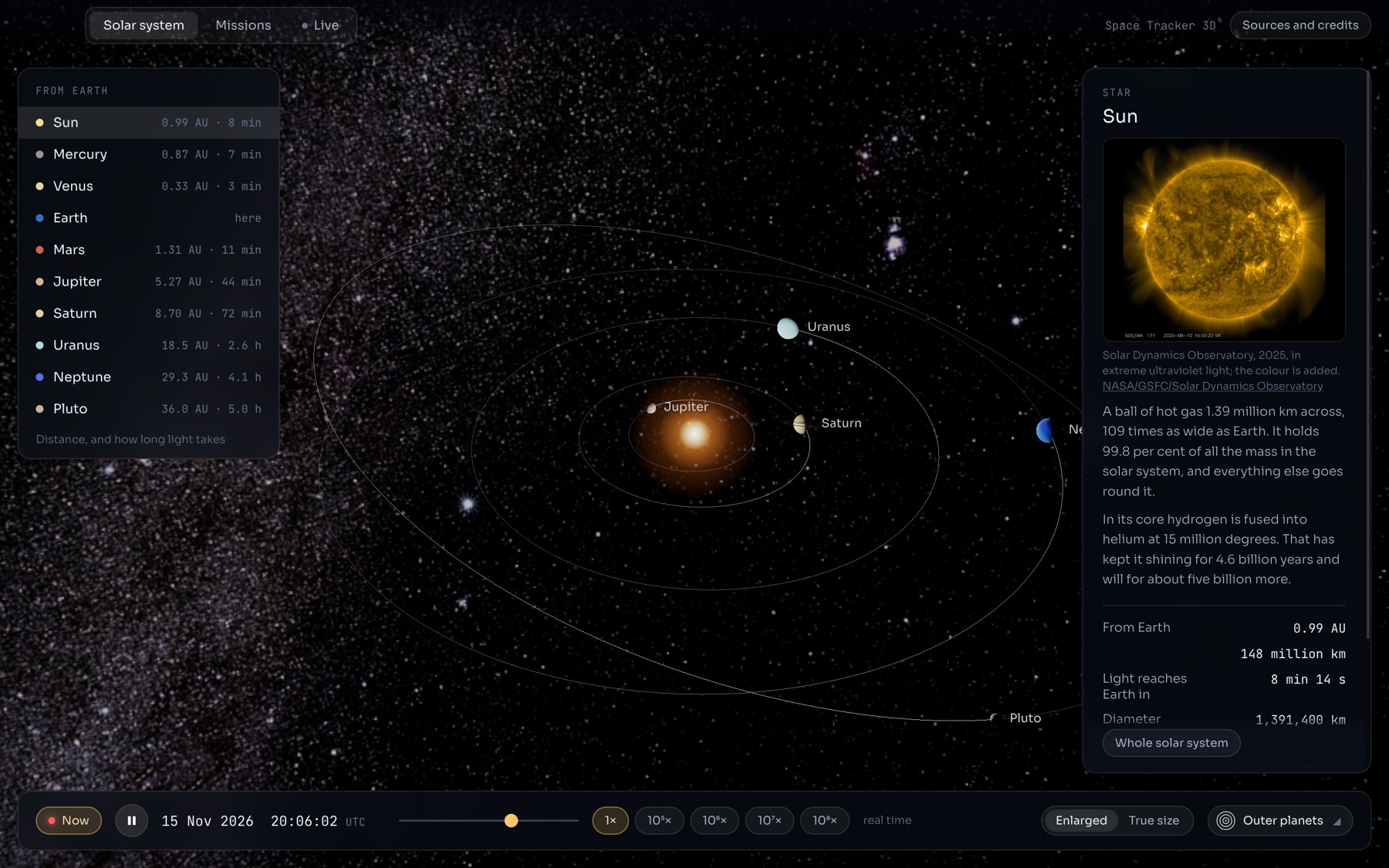
Every planet and twenty moons where they stand this evening.

The outer planets on their orbits round the Sun

The whole picture

Four scales with true distances, from Earth orbit to where the Voyagers are now.

It says what is measured and what is rebuilt

Paths come from NASA’s tracking where it exists. Apollo 11 has none, so its flight is rebuilt from the places and speeds NASA published, and the app says where it is exact and where it is drawn.

It collects nothing

No ads and no analytics. The missions and the solar system are inside the app and work offline. It goes online to activate your key, and the Live tab fetches public orbit files, such as the space station’s path from NASA.

Buy Space Tracker 3D

€7.14

One payment, no subscription. Price incl. 19% VAT for Germany.

Buy Space Tracker 3D for €7.14
  • You pay on Stripe’s or PayPal’s own page, so your card details never reach this site and are never stored here.
  • Your key appears on screen after paying and comes by email with the invoice.
Encrypted checkoutVisaMastercardPayPal

What you get

  • A licence key for 2 computers
  • Every update until 22 November 2027, if you buy today
  • Space Tracker 3D keeps working after that date
  • Download right after paying

Also on the Mac App Store

The same app, bought with your Apple ID. A copy from Apple needs no key and no account here. Needs Macs with Apple silicon and macOS 13 or later.

Questions before you buy

Is there a trial?

No. The pictures and texts on this page show what the app does. If you are not sure it is right for you, write to us before you buy.

Which Macs does it run on?

Macs with Apple silicon and macOS 13 or later.

I bought it in the Mac App Store. Do I need a key?

No. A copy from the Mac App Store needs no key and no account here. Keys are only for copies bought on this site.

What do I get when I buy?

A licence key for Space Tracker 3D that works on 2 computers, and every update released in the next 12 months. You can download right after paying.

What happens after the 12 months?

Space Tracker 3D keeps working, for good. Only versions released after your date need an extension, which you can buy whenever you want one. Your account always shows the date.

Can I move it to a new computer?

Yes. Deactivate the old computer inside the app or in your account, then enter your key on the new one.

Does it need the internet?

Once, to activate your key. After that it works offline.

Is paying here safe?

You pay on the payment page of Stripe or PayPal. Your card details never reach this site. An invoice comes by email.

What if I lose my key?

Sign in with your email address. We send you a 6-digit PIN, and your account shows your keys.
Something else? Write to email address: please turn on JavaScript. A sentence on what you want to know is enough.

How to get around in the app, and more answers: help with Space Tracker 3D. What the app keeps and sends: its privacy policy.