Version 2.0 for Android

Bold typography. Your phone. Your clock.

WP Clock is a typographic live wallpaper and desk clock for Android: time, date and three status rows you choose, over your own photos, with online presets and two home-screen widgets.

7 days free, then Premium once, from Google Play. Needs Android 12 or newer; the widgets need Android 13.

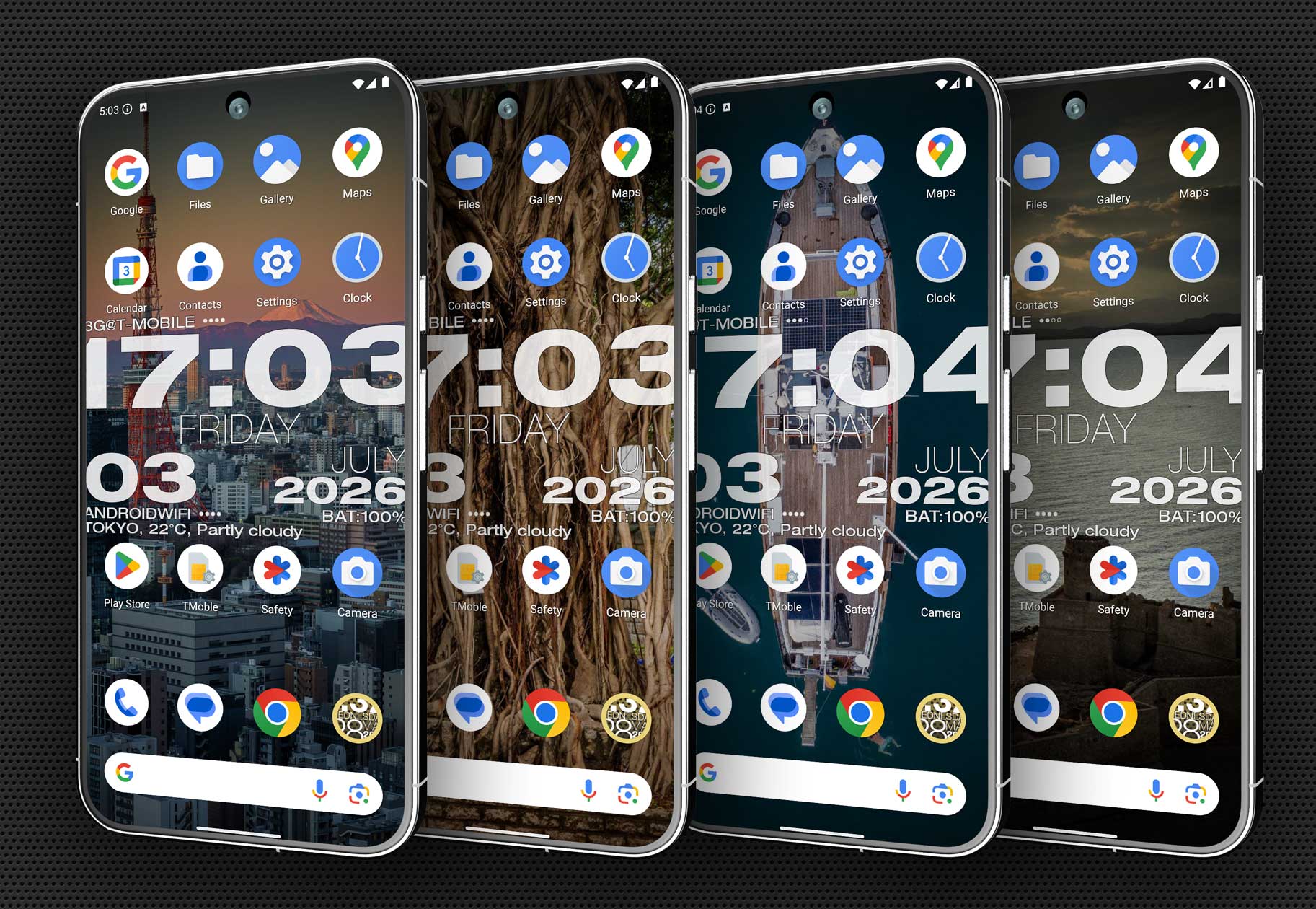
Four Android phones running WP Clock with different photo backgrounds
Version
2.0
Runs on
Android 12 or newer
Price
7 days free, then Premium once
Get it from
Google Play

What WP Clock does

Three status rows, your choice

Pick what each line under the clock shows, in any order.

Mobile network, Wi-Fi and battery, current weather, sunrise and sunset, moon phase, golden hour, air quality, free storage, or a countdown to any date you name. The clock itself, time, weekday and date, stays the bold stack it always was.
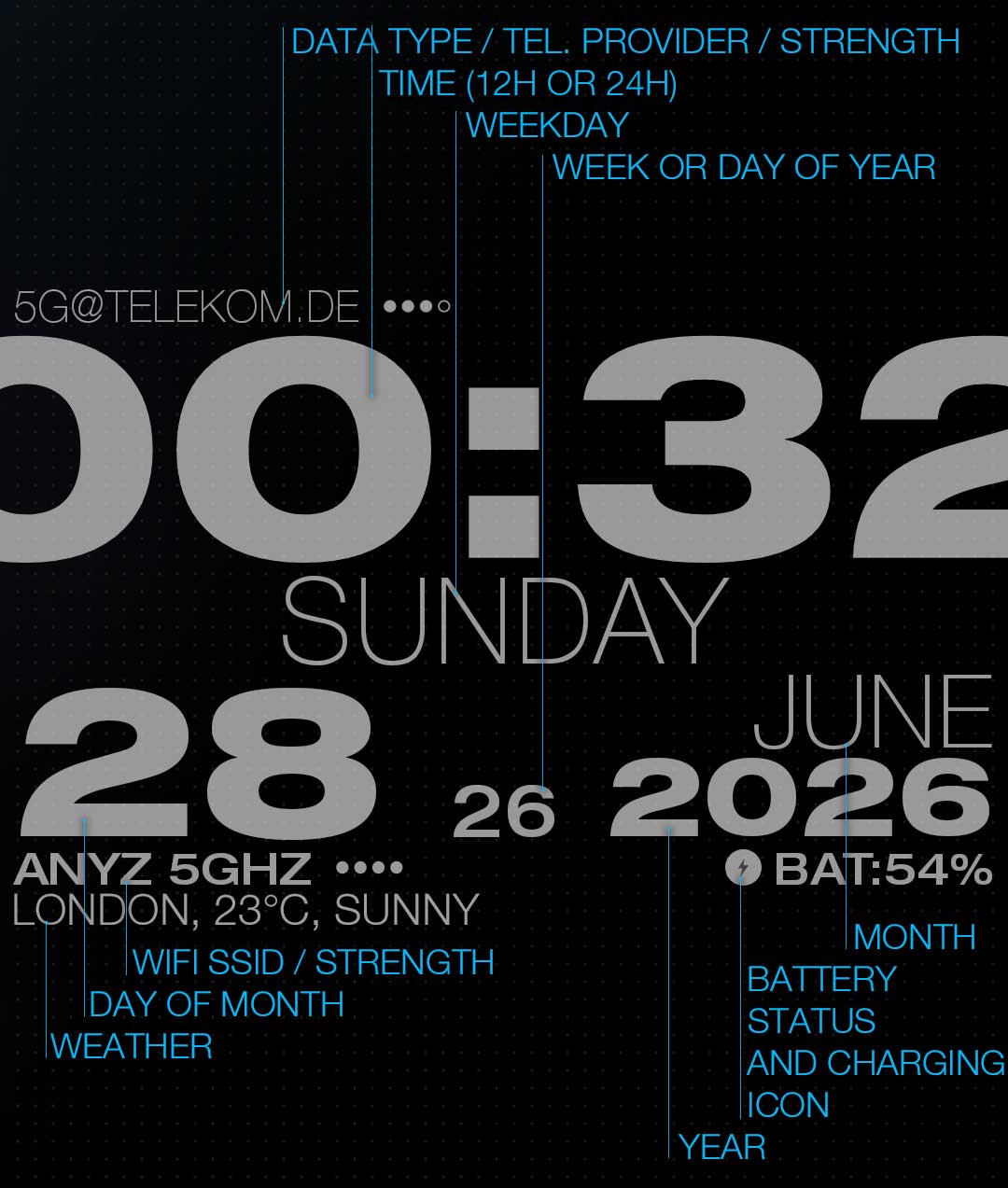
WP Clock showing time, date and three configurable status rows

Your photos, framed twice

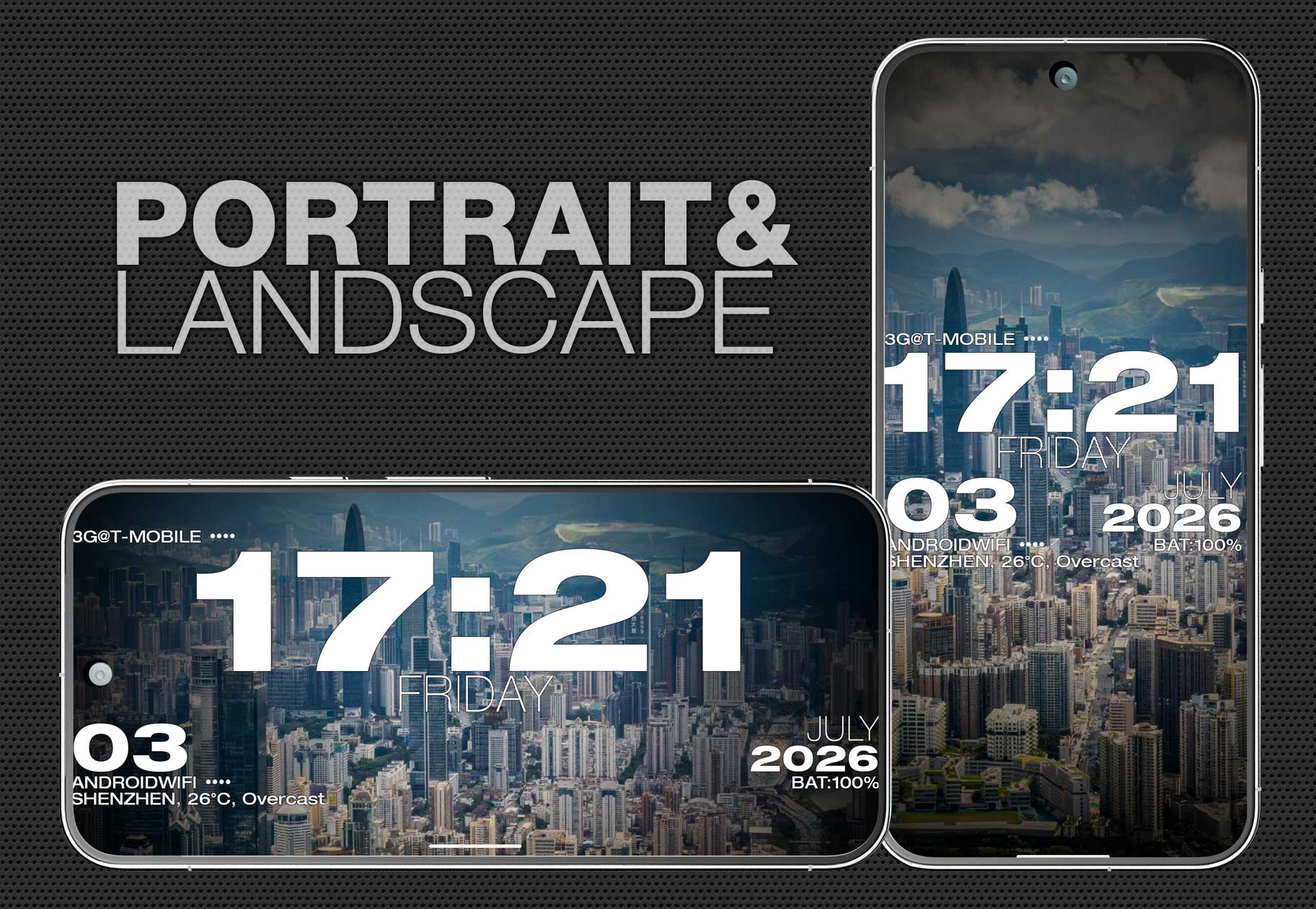
Portrait and landscape, each positioned on its own.

Drop in your own backgrounds and drag them into place, separately for portrait and landscape. The type stays readable over skylines, flags or whatever you put behind it.

WP Clock as live wallpaper in portrait and landscape over a city skyline

Looks from the catalogue

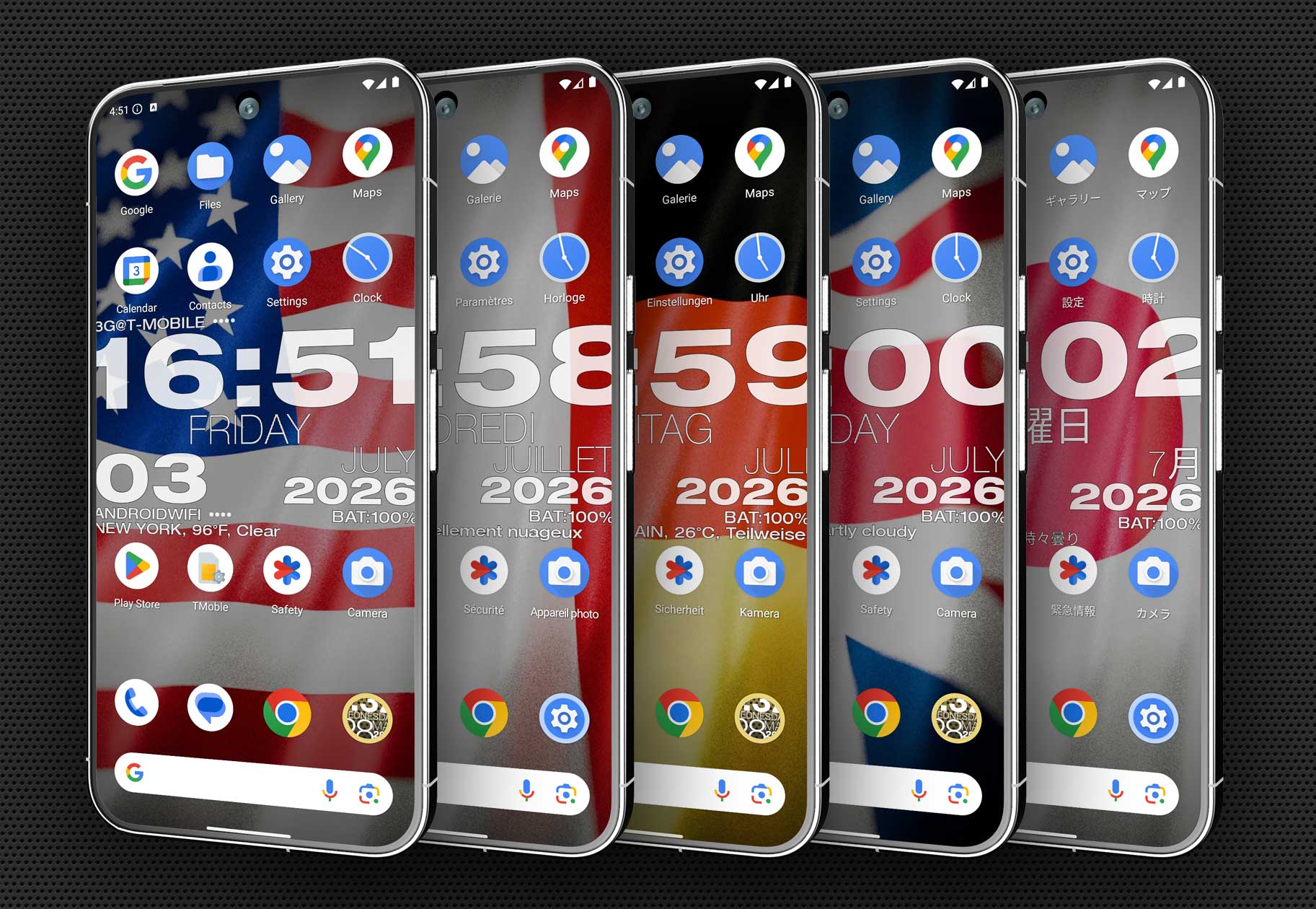
Country flags, seasonal themes and localized layouts.

Browse a growing catalogue of presets, filter by region and apply one with a tap. With Premium, save your own and let them rotate.

Five phones showing WP Clock with country flag presets in several languages

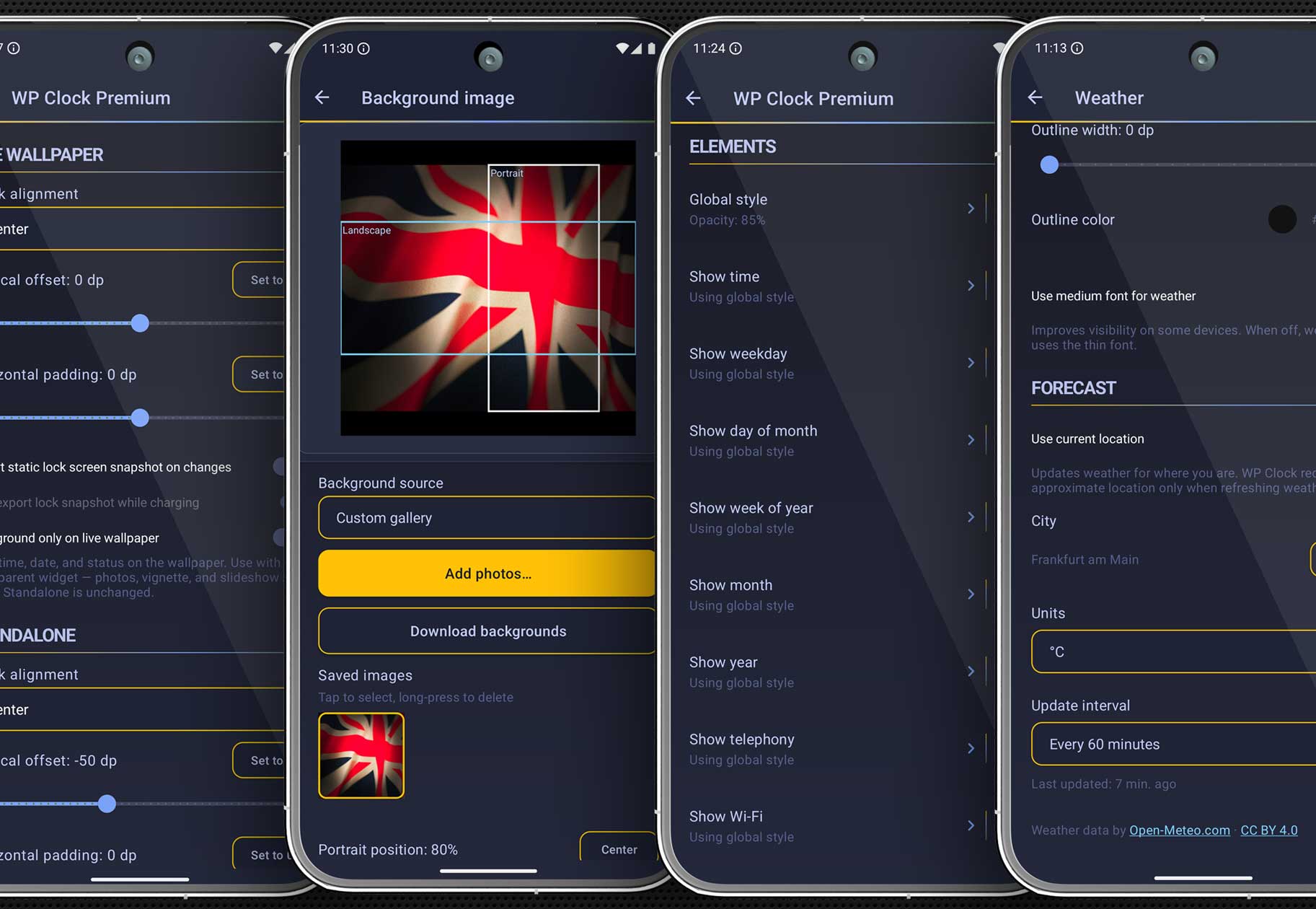
Design down to the last pixel

Layout, backgrounds, status rows, weather and presets.

Collapsible sections keep the long list of settings easy to scan, and every choice feeds the same type on wallpaper, desk clock and widget.

WP Clock settings for layout, background image, elements and weather

Also in WP Clock

Live wallpaper

On your home screen and, if you like, the lock screen, with backgrounds, patterns and bounce animations.

Desk clock

A full-screen clock while the app is open, on a stand or the night table, with optional keep-awake.

Two home-screen widgets

An image widget in your wallpaper’s type, or a live-text widget that ticks by itself. Android 13 or newer.

Background packs

Flags, travel and more to download inside the app, then use like your own photos. Premium.

Weather in 8 languages

For a city you choose, or for where you are if you allow it.

No subscription

Try everything free for seven days. Premium is one payment through Google Play, yours for good, with all future updates included.

Your setup stays as it is

Upgrading from version 1 changes nothing until you open Settings and choose your status rows.

Get WP Clock

7 days free, then Premium once

WP Clock comes from Google Play. Installing and paying happen there, with the account you use there. There is no key and no account on this site.

Needs Android 12 or newer; the widgets need Android 13.

What you get

  • Everything free for 7 days
  • Premium: one payment in the app, no subscription
  • All future updates included
  • Your purchase stays with your Google account

Questions

Is Premium a subscription?

No. One payment through Google Play, yours for good, with all future updates included.

Which phones does it run on?

Android 12 or newer. The two home-screen widgets need Android 13.

Where do I get it?

From Google Play. It is not sold on this site.

Do I need an account here?

No. Installing and paying happen in Google Play, with the account you use there, and your purchases come back when you reinstall or change phones.

Who helps if something does not work?

Write to email address: please turn on JavaScript. A sentence on what you did and what you saw is enough.

Something else? Write to email address: please turn on JavaScript. A sentence on what you want to know is enough.