Version 1.0 for Android

Speed and G-force, read at a glance.

Momentum turns your phone or tablet into a glowing instrument cluster: how fast you are going, how hard you accelerate, brake and corner, and a record of both to look at after the trip.

Free, with an optional tip, from Google Play. Needs Android 13 or newer, on a phone or a tablet.

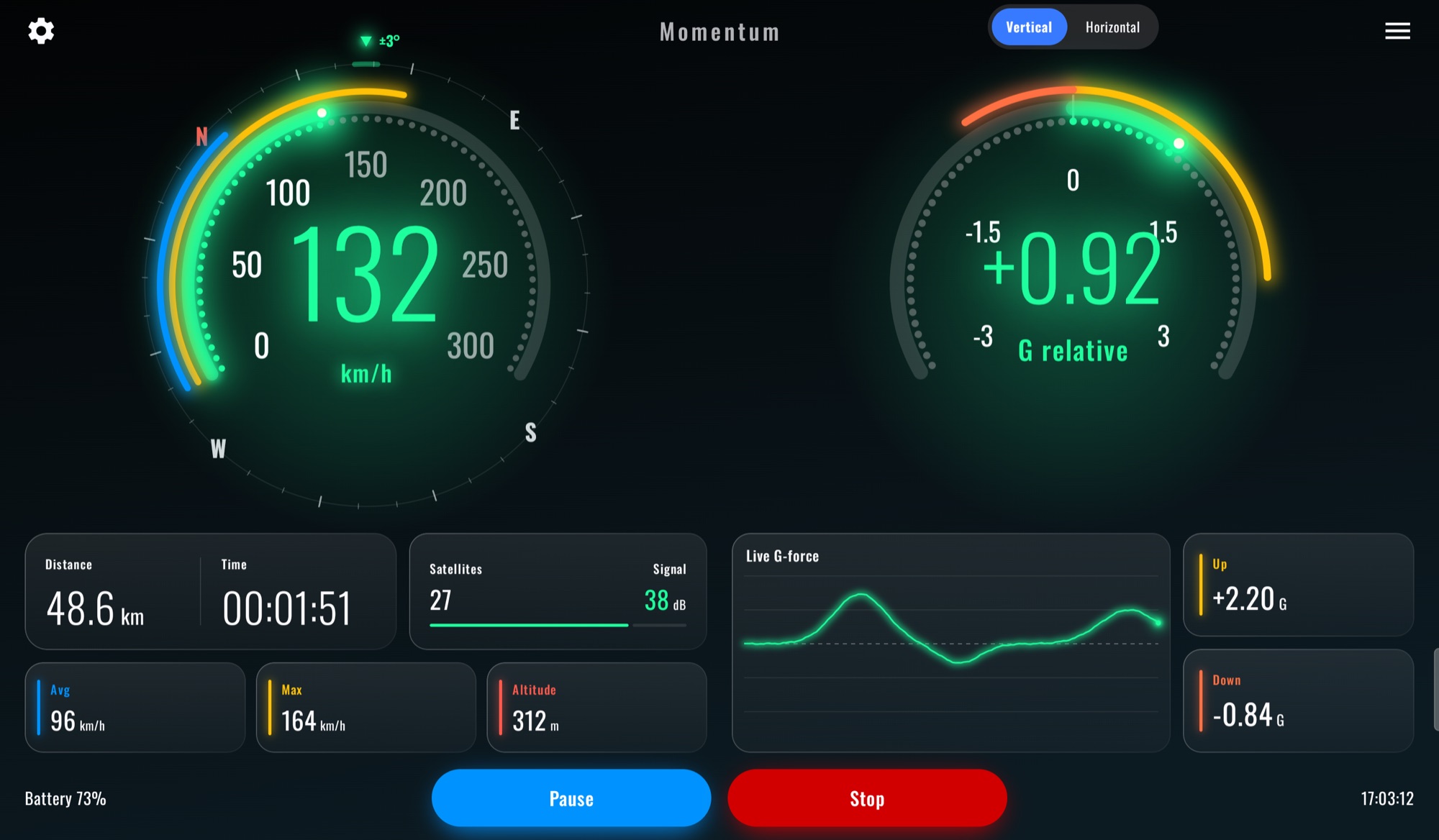
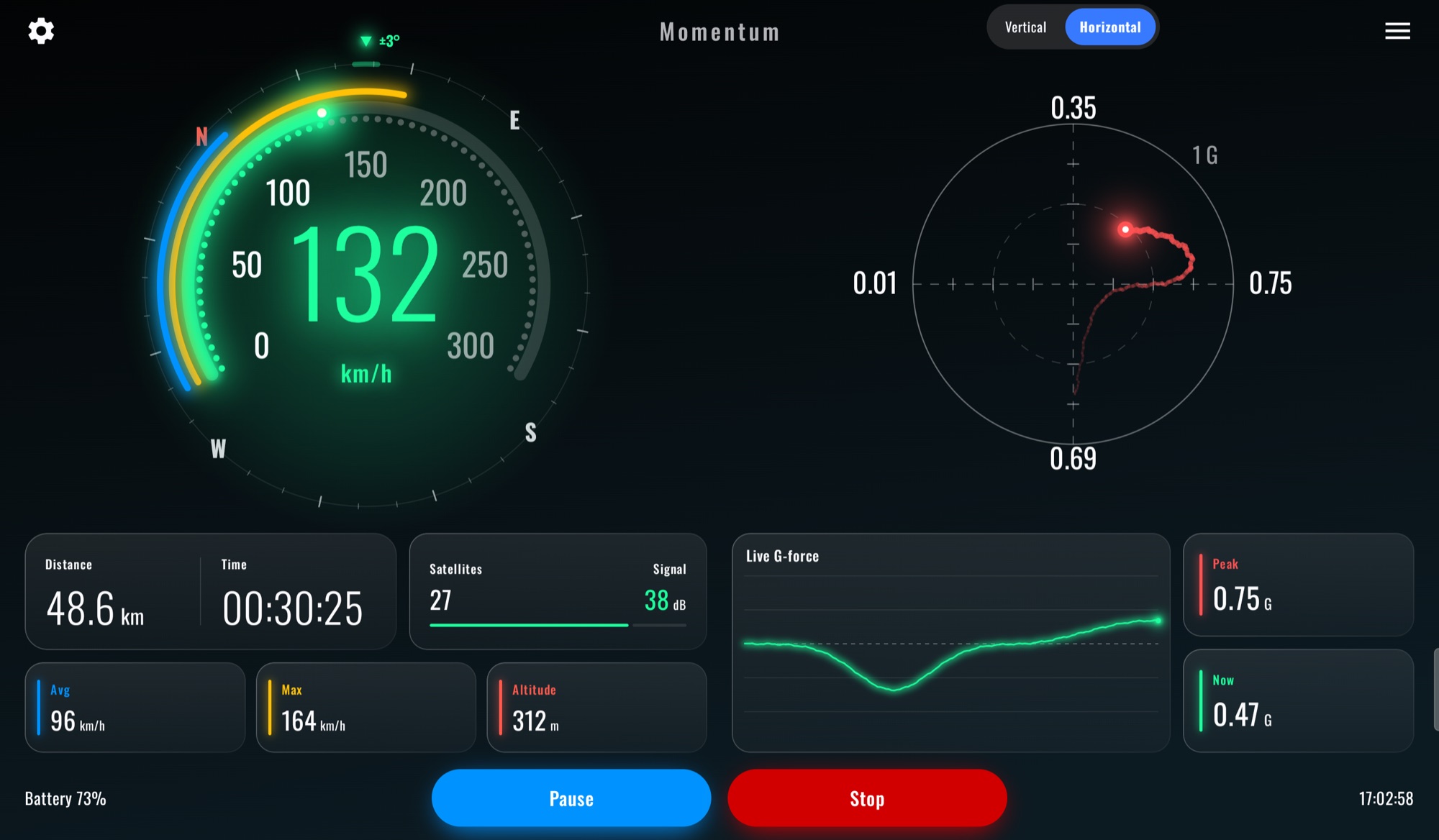
Momentum on a tablet: a speedometer at 132 km/h beside a G-force trace of a car braking into a corner
Version
1.0
Runs on
Android 13 or newer
Price
Free, with an optional tip
Get it from
Google Play

What Momentum does

Speed, read at a glance

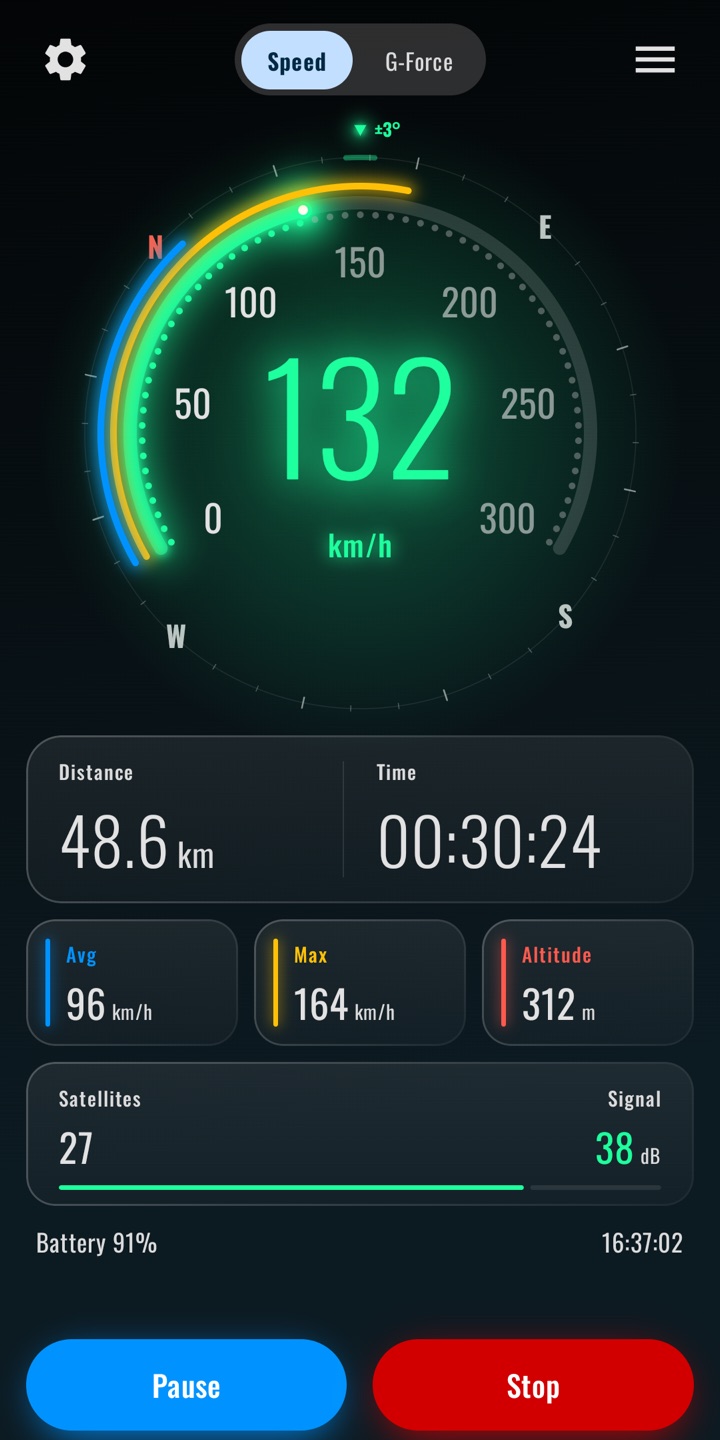
A large GPS speedometer in km/h, mph or knots, with a scale from 60 to 1200.

Below it: average and top speed, distance, time and altitude. An optional compass ring runs around the gauge, and the satellite count and signal strength tell you how good the fix is.

GPS speedometer showing 132 km/h with distance, time, average speed and altitude

G-force you can see

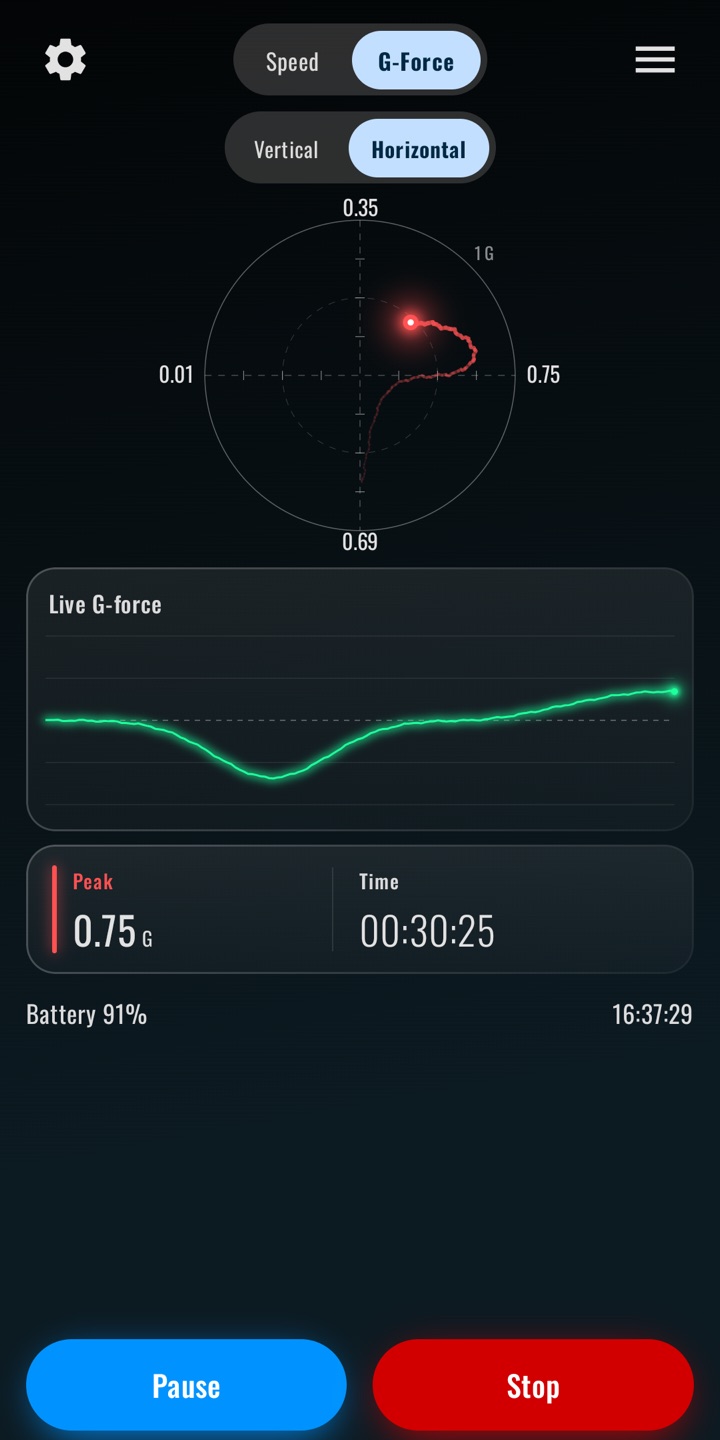
Acceleration, braking and cornering as a moving dot with a trail.

The vertical view is for lifts, roller coasters and take-offs. The scale goes from 0.2 G to 5 G, so gentle movements show too, with the peak in every direction and a live graph.

Horizontal G-force display with a cornering trace, a live graph and a peak of 0.75 G

Both at once on a tablet

Speed and G-force side by side on one dashboard.

In landscape and in portrait. On a phone you swipe between the two.

Tablet dashboard with the speedometer beside the vertical G-force gauge and its live graph

Every trip, kept

One tap on Record saves speed and G-force together.

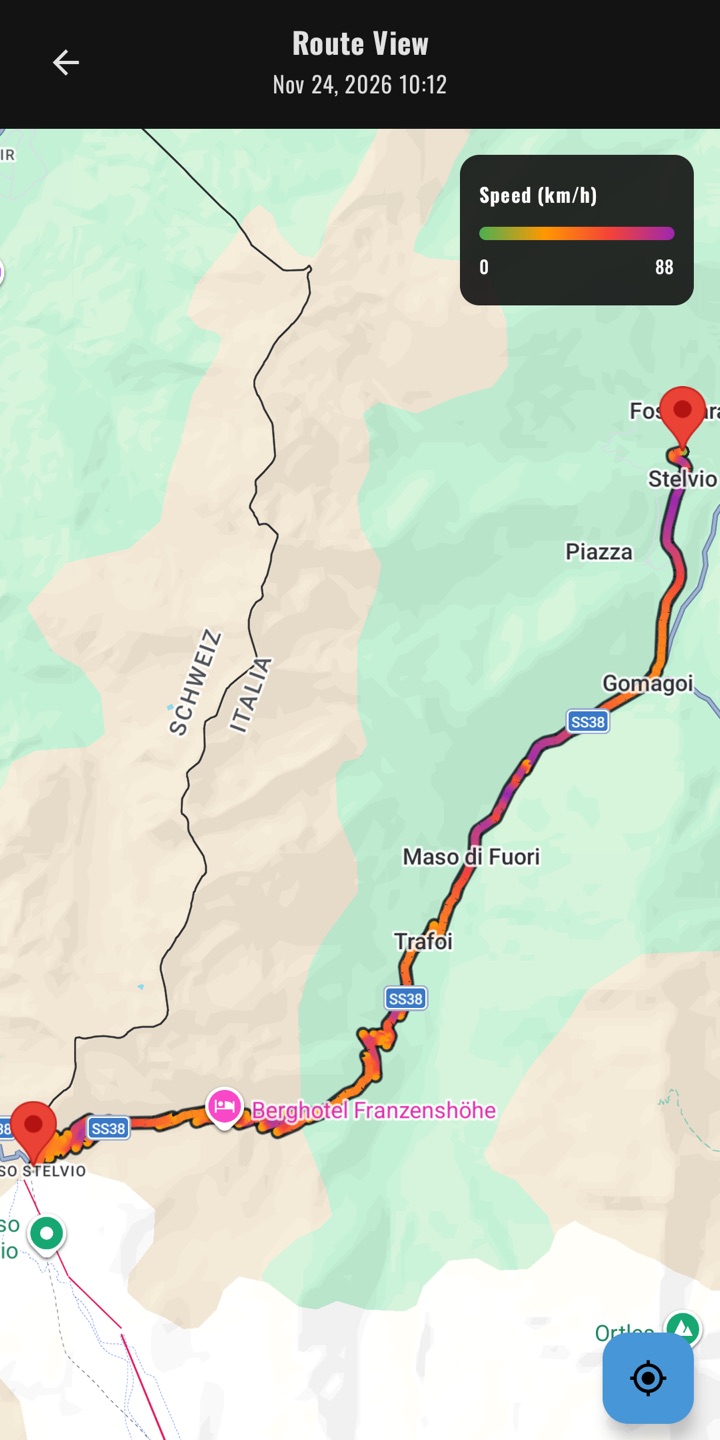
Recording pauses by itself when you stop moving. Afterwards you see the route on a map, coloured by speed, scroll through the G-force graph of the whole trip, and export the session as CSV or JSON.

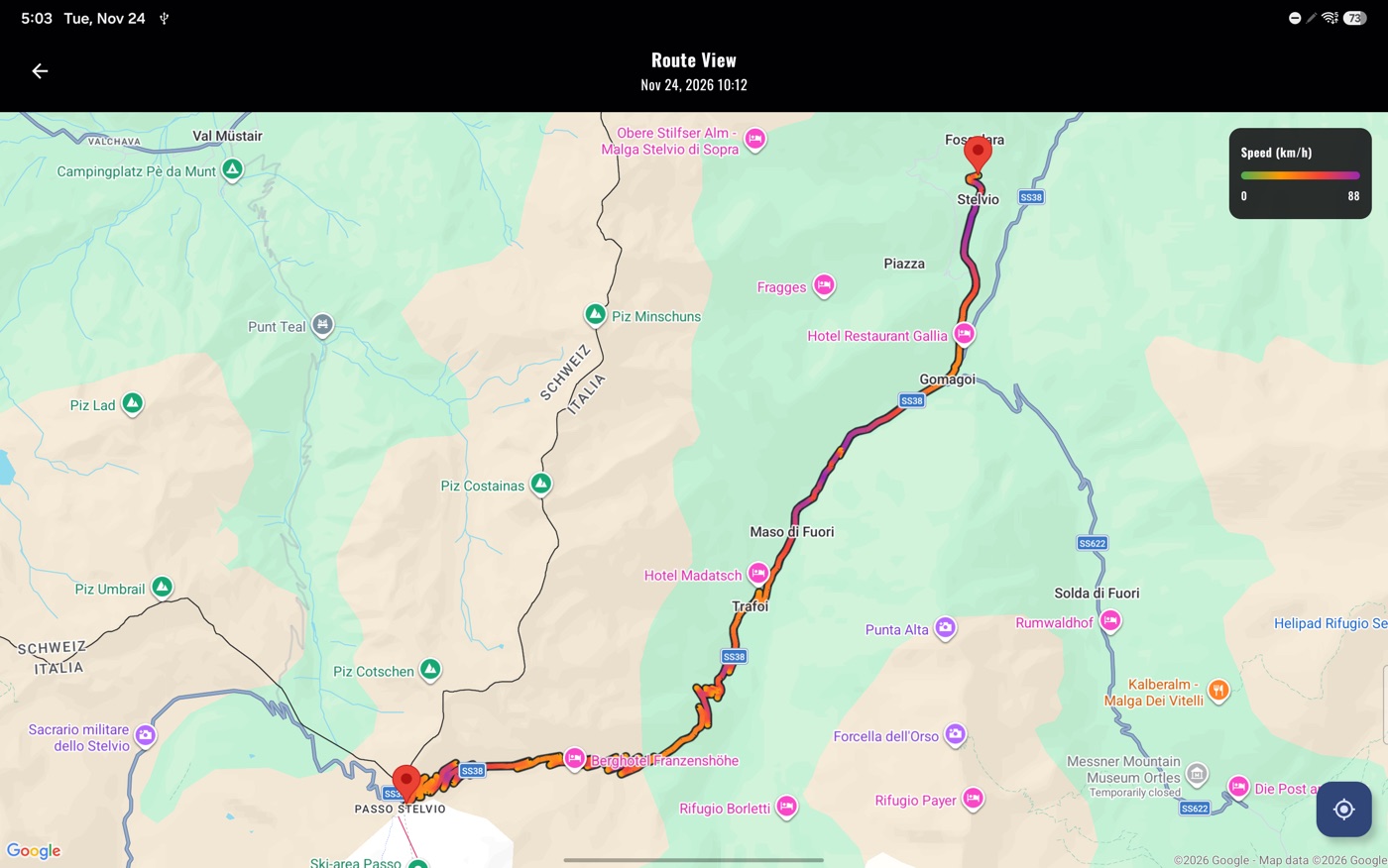
A recorded drive over the Stelvio pass on a map, each stretch coloured by speed

Also in Momentum

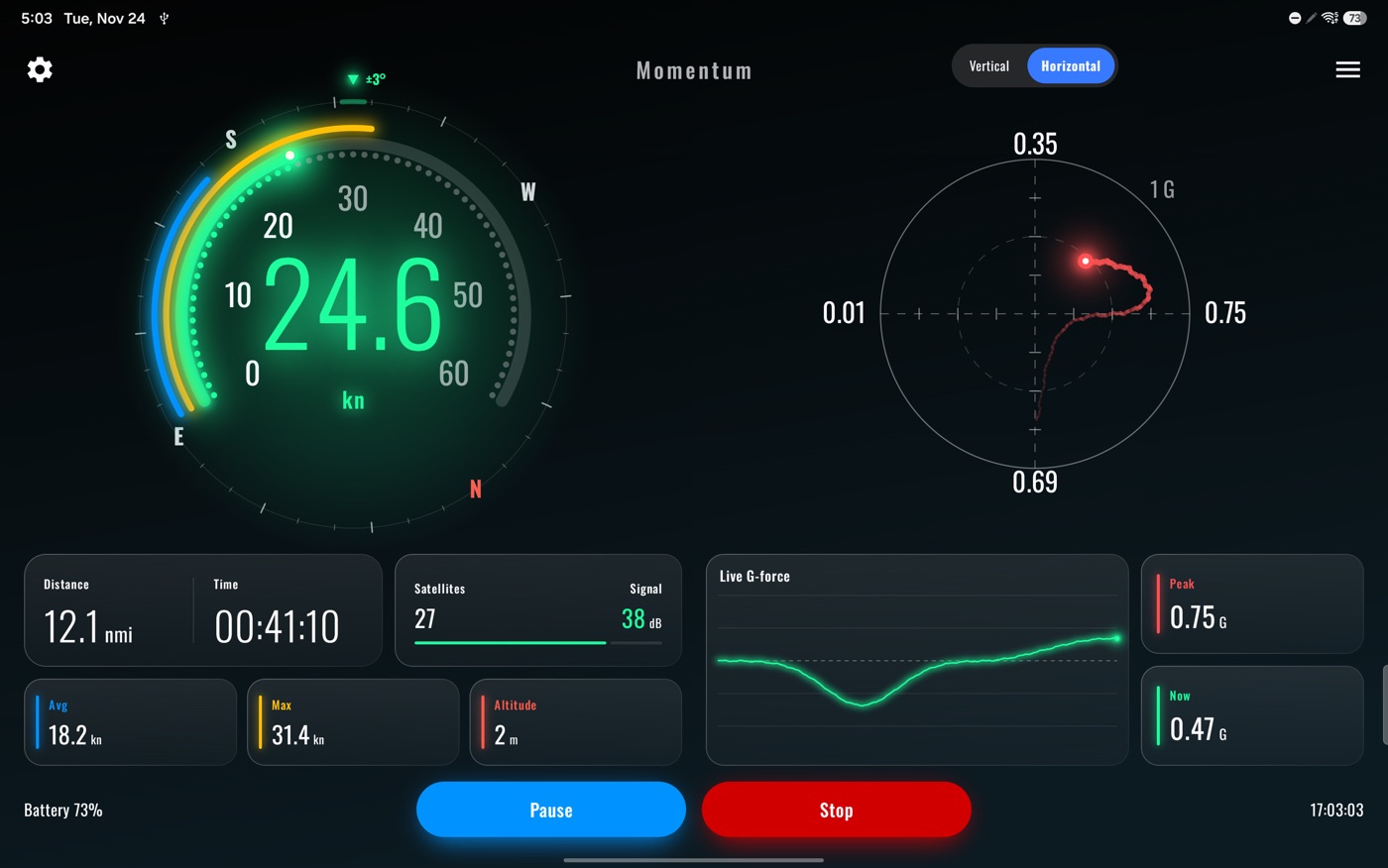
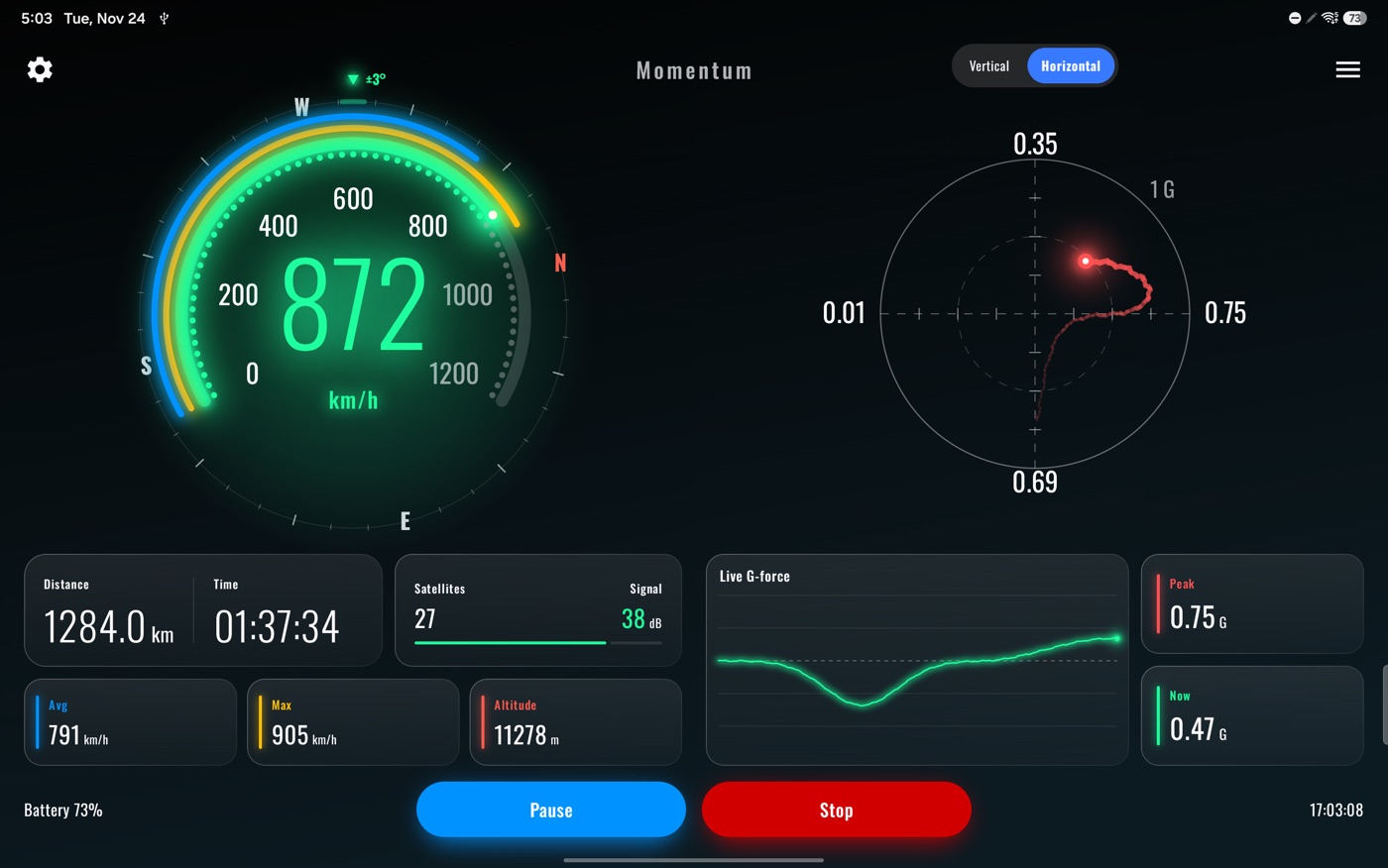
Tablet dashboard of a boat at 24.6 knots

On the water

Speed in knots and distance in nautical miles.

Tablet dashboard of an airliner at 872 km/h and 11,278 metres

In the air

The scale goes up to 1200, with your altitude beside it.

Route map of an Alpine drive on a tablet, coloured by speed

Routes on a big screen

The map of a recorded trip, coloured by speed, on the whole tablet.

For anything that moves

A bicycle, a car, a boat, a train or an airliner: pick the scale that fits.

Dark, for the night

A dark design that is easy on the eyes, in portrait and landscape.

Stays awake

The display stays on while you record, so the numbers are there when you look.

Your trips stay with you

No account, no ads, no tracking. Sessions are stored on your device and leave it only when you export them. The map of a recorded route is loaded from Google Maps, and tips are paid through Google Play; nothing else goes anywhere.

Free, every feature included

Nothing is locked. If you enjoy Momentum, you can leave a tip in the settings; it unlocks nothing and is never needed.

Get Momentum

Free, with an optional tip

Momentum comes from Google Play. Installing and paying happen there, with the account you use there. There is no key and no account on this site.

Needs Android 13 or newer, on a phone or a tablet.

The app’s privacy policy

What you get

  • Every feature, free
  • No account, no ads, no tracking
  • Your trips stay on your device
  • An optional tip in the settings, paid through Google

Questions

Can I use it while driving?

Mount the phone before you set off and leave it alone. Never operate the device while driving, and do not rely on the readings where safety matters.

Does it record in the background?

No. Recording runs while Momentum is open on screen, and the display stays on while it records.

How exact are the readings?

Speed comes from GPS and G-force from the motion sensors, so both depend on your device and the reception. The satellite count and signal strength on screen show how good the fix is.

Which devices does it run on?

Android 13 or newer, phones and tablets. On a tablet, speed and G-force share one screen.

Where do I get it?

From Google Play. It is not sold on this site.

Do I need an account here?

No. Installing and paying happen in Google Play, with the account you use there, and your purchases come back when you reinstall or change phones.

Who helps if something does not work?

Write to email address: please turn on JavaScript. A sentence on what you did and what you saw is enough.
Something else? Write to email address: please turn on JavaScript. A sentence on what you want to know is enough.